Top 15 Best AI Platforms for Teachers & Schools in 2026
Vipin Kumar
|
 15 December, 2025
Today, the best AI platforms for teachers are reshaping how classrooms work in 2026. More educators now rely on AI to plan lessons faster. In addition, they use it to create high-quality learning materials and provide personalized student support. Consequently, tasks that once took hours can now be completed in minutes. This shift allows teachers to focus more on instruction, feedback, and student growth.
However, with so many AI tools available, choosing the right platforms can feel overwhelming. Therefore, teachers need clear guidance. Some tools offer clear classroom value. Conversely, others add extra work and friction. Therefore, we reviewed the most cited and widely recommended platforms across educator communities and EdTech sources. Our goal was to identify what actually works in classrooms.
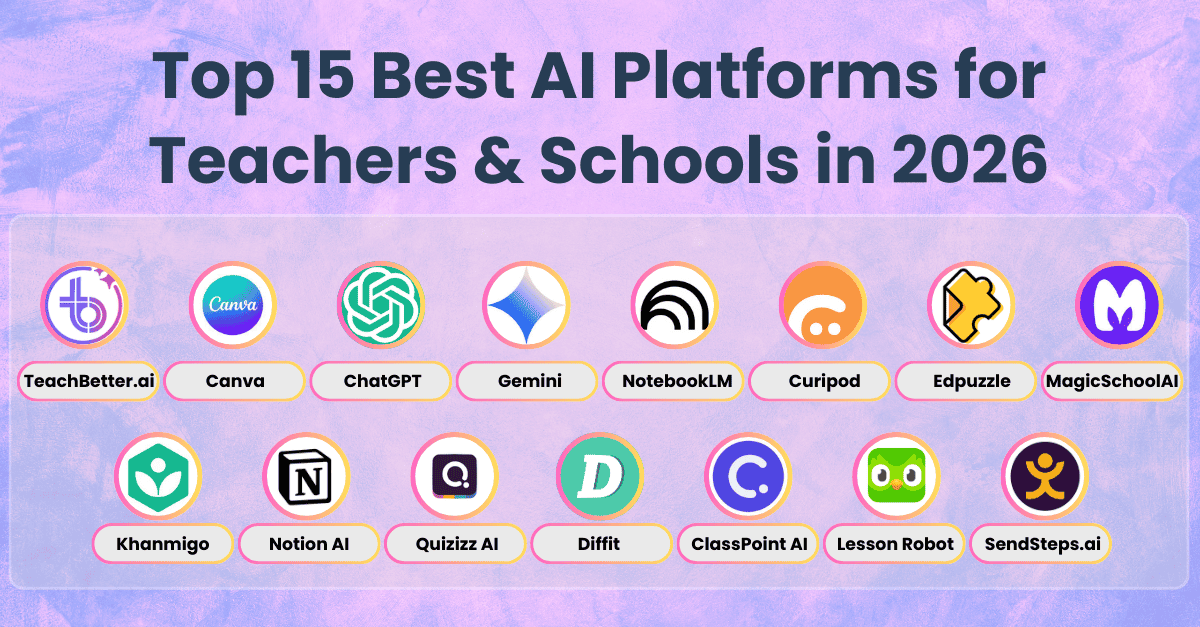
In this guide, we highlight the Top 15 Best AI Platforms for Teachers and Schools in 2026. Each tool includes clear explanations, practical use cases, and ready-to-apply tips. Whether you are a classroom teacher, a school leader, or an instructional designer, this list will help you make confident decisions and transform your teaching practice with AI.

1. TeachBetter.ai — AI for Teachers, Students & Schools
What it does:
Importantly, the best AI platforms for teachers include TeachBetter.ai, a full-suite platform purpose-built for K–12 schools. TeachBetter.ai is one of the most comprehensive AI platforms designed specifically for education, offering 20+ AI-powered tools, interactive simulations, and AI learning coaches for teachers, students, and parents — all within a safe, school-friendly environment.
Teachers can generate curriculum-aligned lesson plans, quizzes, worksheets, presentations, activity ideas, assessments, simulations, personalized reports, and creative classroom resources in seconds. Students benefit from concept explainers, doubt solvers, mastery coaches, simulations, and self-paced learning tools. Parents gain guided learning tools to actively support learning at home. The platform supports 80+ languages, enabling inclusive, multilingual classrooms across regions.
Every output can be enhanced using the Smart Content Studio, where educators can refine content by adding visuals, simulations, real-world examples, videos, differentiated versions, and localized language support. With its modern, intuitive UI and curriculum-aware design, TeachBetter.ai significantly reduces teacher workload while improving student engagement and concept clarity.
Use cases:
• Creating curriculum-aligned lesson plans, simulations, and ready-to-teach classroom content in seconds
• Building worksheets, quizzes, presentations, projects, and personalized reports for any subject or grade
• Supporting students with personalized concept explanations, mastery checks, and instant doubt-solving
• Helping parents actively participate in structured and guided home learning
• Reducing teacher planning, grading, and assessment time by 50–70%
• Introducing AI literacy into classrooms through safe, controlled, education-first AI tools
• Enabling inclusive teaching through multilingual support across 80+ languages
Tool Tip:
After generating any output, use the Smart Content Studio to elevate it further. Add images, simulations, real-world contexts, videos, differentiated versions for mixed-ability classrooms, and multilingual adaptations (80+ languages). This transforms a basic AI-generated draft into a fully polished, classroom-ready learning resource that can be reused, shared, or adapted across lessons.
2. Canva Magic Studio — Visual Content, AI-Powered
What it does:
Moreover, the best AI platforms for teachers include Canva Magic Studio, which turns text into polished visuals quickly. Canva Magic Studio is the AI design engine powering millions of classrooms globally. It brings together Canva’s rich visual ecosystem with advanced AI features such as Magic Write, Magic Design, AI Image Generator, Magic Animation, and Magic Video — giving teachers the power to create polished learning materials in minutes.
Teachers can generate worksheets, anchor charts, timelines, diagrams, infographics, slide decks, badges, certificates, classroom décor, and short instructional videos using natural language prompts. Furthermore, Magic Studio’s templates and AI design suggestions make complex visual explanations clear and curriculum-ready.
Furthermore, with its drag-and-drop simplicity and AI enhancements, Canva reduces hours of manual formatting, helping teachers focus more on instructional intent and less on design complexity.
Use cases:
• Creating visually rich lesson slides for science, math, social studies, and ELA
• Designing printable worksheets, posters, interactive notebooks, and revision charts
• Developing short video explainers or animated teaching aids
• Building project templates, choice boards, and student reflection sheets
• Making content more accessible through visual scaffolding for younger learners
Tool Tip:
Upload a rough outline or text draft — then use Magic Design to instantly transform it into a complete, beautifully structured slide deck with icons, illustrations, color themes, and layout suggestions.

3. ChatGPT — Your AI Teaching Assistant
What it does:
Furthermore, the best AI platforms for teachers include ChatGPT, an adaptable assistant for planning and feedback. ChatGPT has become the backbone of teacher productivity, offering an unmatched ability to generate lesson ideas, break down complex concepts, summarize content, create assessments, differentiate activities, and offer personalized feedback. Its natural language understanding allows teachers to input simple prompts and receive comprehensive, structured outputs aligned with grade level, tone, and subject requirements.
ChatGPT Edu adds school-focused features such as enhanced privacy, document uploads with analysis, citations, and secure student interactions. Therefore, teachers can upload lesson notes, rubrics, essays, and readings, and ChatGPT will analyze, summarize, and generate aligned teaching materials.
Importantly, from content creation to feedback generation, ChatGPT serves as a highly adaptive co-teacher that accelerates planning while maintaining instructional quality.
Use cases:
• Writing end-to-end lesson plans, complete with objectives, activities, and assessments
• Explaining concepts with real-world examples, analogies, and multiple representations
• Creating large question banks for unit tests or competitive exam prep
• Drafting rubrics, scoring guides, and feedback comments tailored to student work
• Summarizing articles, textbooks, and videos into bite-size teaching materials
• Generating differentiated tasks for struggling or advanced learners
Tool Tip:
Upload a chapter PDF, Google Doc, or textbook excerpt and ask ChatGPT Edu to generate leveled worksheets (easy/medium/hard) — perfect for mixed-ability classrooms.

4. Google Gemini — AI With Google Search Intelligence
What it does:
Similarly, the best AI platforms for teachers include Google Gemini, which brings search-aware AI into lesson creation. Google Gemini stands out as the most research-aware AI tool available to teachers. Built on Google’s massive search ecosystem, Gemini can pull insights from current events, real-world datasets, academic articles, and online references, making it particularly powerful for subjects requiring updated information.
In practice, Gemini integrates with Google Docs, Slides, Gmail, YouTube, and Classroom so teachers can draft explanations, outline lessons, and summarize sources within their workflow. Consequently, its context-aware responses support factual accuracy for inquiry-based and project-based learning.
From cross-checking facts to generating creative content, Gemini helps teachers produce more reliable and relevant instructional material.
Use cases:
• Writing fact-checked lesson content with references and updated examples
• Summarizing long educational websites, articles, or research papers
• Developing inquiry-based projects linked to real-world problems
• Drafting scripts for instructional videos or flipped learning resources
• Enhancing Google Docs drafts with improved clarity, structure, and questioning
Tool Tip:
Use Gemini’s “Help me write” inside Google Docs — it refines your text, adds higher-order questions, suggests examples, and improves overall instructional clarity.

5. NotebookLM — The AI That Reads Your Documents
What it does:
Consequently, the best AI platforms for teachers include NotebookLM, which synthesizes multiple documents into study-ready guides. NotebookLM is a powerful tool for teachers who work with dense curriculum documents and multimedia content. Teachers can upload PDFs, Docs, articles, notes, and transcripts; NotebookLM then synthesizes them into study guides, mind maps, FAQs, summaries, and audio explanations.
Notably, what makes NotebookLM exceptional is its ability to stay strictly within the provided sources, ensuring accuracy and preventing hallucinations. It becomes a personalized learning coach that understands your curriculum, your text, and your teaching materials — and converts them into ready-to-use classroom content.
With NotebookLM, teachers can produce reference notes, revision guides, project summaries, and teaching frameworks in minutes, dramatically reducing prep time for content-heavy units.
Use cases:
• Transforming long textbook chapters into easy-to-teach summaries
• Creating structured study guides for exam prep or revision cycles
• Turning dense board curriculum PDFs into mind maps and flowcharts
• Preparing teacher background notes for complex topics
• Generating explainer videos or audio lessons for blended learning
Tool Tip:
Upload 5–10 related curriculum documents at once and ask NotebookLM to create an “Expert Teaching Guide” — complete with misconceptions, essential questions, key vocabulary, and learning outcomes.

6. Curipod — AI-Generated Interactive Lessons
What it does:
Next, the best AI platforms for teachers include Curipod, a tool that instantly creates interactive lessons and polls. Curipod is an AI-powered platform designed to make classroom instruction truly interactive. Instead of delivering static lessons, teachers can use Curipod to convert any topic into a dynamic, student-centered experience. It automatically generates slide decks containing polls, quizzes, word clouds, SEL check-ins, quick writes, discussions, and drawing activities — all aligned to the topic you provide.
For example, Curipod combines AI generation with real-time participation. As a result, students can join from devices and contribute anonymously or by name, which encourages quieter learners to participate. This helps teachers instantly assess the room, spark curiosity, and surface misconceptions without spending hours designing engagement tools.
Whether you're beginning a new chapter, reviewing an old one, or facilitating a debate, Curipod transforms traditional teaching into an interactive dialogue.
Use cases:
• Launching a lesson with an SEL check-in to understand students’ emotional readiness
• Conducting diagnostic assessment polls to identify prior knowledge
• Turning any topic into a full interactive presentation with minimal prep
• Running debates, reflections, or creative writing prompts
• Supporting hybrid or remote classrooms with seamless student engagement
• Encouraging equitable participation in large classrooms
Tool Tip:
Try Curipod’s “Instant Lesson” by entering your topic (e.g., “Photosynthesis” or “The French Revolution”). The platform auto-builds a full lesson with activities designed to boost engagement in the first five minutes of class.

7. Edpuzzle — Transform Videos into Lessons
What it does:
In addition, the best AI platforms for teachers include Edpuzzle, which converts video into interactive learning checks. Edpuzzle is the go-to platform for turning any video — YouTube content, teacher-recorded clips, documentaries, or instructional animations — into an interactive learning experience. With Edpuzzle, teachers can embed questions, notes, voiceovers, and checkpoints directly into the video timeline. Its AI features automatically analyze the video, generate question suggestions, and help build formative assessments seamlessly.
Moreover, Edpuzzle provides analytics so teachers can see who watched a video and which parts were rewatched. Therefore, teachers use this data to plan timely and targeted remediation.
Edpuzzle is highly effective in flipped classrooms, blended environments, and self-paced learning models, helping teachers personalize instruction without doubling workload.
Use cases:
• Flipped classroom modules that assign learning before class
• Introducing new topics with embedded comprehension checks
• Creating reinforcement videos for students who need repeated explanations
• Identifying confusing sections through watch analytics
• Differentiating assignments by assigning easier or more scaffolded videos
• Supporting ESL learners by adding voiceovers or note annotations
Tool Tip:
Use the AI Auto-Question Generator — simply paste the video link and allow Edpuzzle to produce ready-made questions aligned with key moments. Teachers report it cuts prep time by 80%.

8. MagicSchool AI — The Teacher’s AI Workbench
What it does:
Additionally, the best AI platforms for teachers include MagicSchool AI, which offers 60+ educator-focused tools. MagicSchool AI has quickly become one of the most trusted educator-first AI platforms globally, and for good reason — it is built entirely around real classroom workflows. The platform offers 60+ purpose-built tools, each designed to solve a specific teaching challenge: from generating frictionless lesson plans and differentiated worksheets to building IEP drafts, behavior plans, assessments, rubrics, and parent communication.
Unlike generic AI chat tools, MagicSchool uses education-optimized prompts and structured templates that reflect real classroom planning. As a result, its outputs match pedagogical conventions and learning standards, so teachers rarely need to heavily edit the AI’s work.
Moreover, MagicSchool also emphasizes teacher productivity and instructional alignment. You can choose grade bands, standards, learning goals, tone, and scaffolding approaches — and the platform automatically adapts the generated content. Whether you're planning tomorrow’s lesson or designing an entire unit, MagicSchool significantly reduces preparation time without compromising quality.
Use cases:
• Designing curriculum-aligned daily and weekly lesson plans in seconds
• Creating comprehensive rubrics, exemplars, and grading comments
• Generating differentiated worksheets for advanced, average, and struggling learners
• Drafting behavior intervention strategies and SEL-friendly responses
• Automating parent emails, classroom newsletters, and progress updates
• Preparing sub plans for days when teachers need ready-to-teach material
Tool Tip:
Use the “Unit Planner” first — it lays out essential questions, objectives, pacing, and activities. Follow it with the “Lesson Plan Generator” to break the unit into day-wise teaching modules.

9. Khan Academy (Khanmigo) — Safe AI Tutoring + Teacher Tools
What it does:
Likewise, the best AI platforms for teachers include Khanmigo, Khan Academy’s safe AI tutoring and teacher assistant. Khanmigo is Khan Academy’s AI-powered tutoring companion built on a safe, monitored framework designed for K–12 learners. It provides step-by-step tutoring, guiding students through math, science, reading, and writing tasks with conversational explanations instead of shortcuts or final answers. For teachers, Khanmigo works as an instructional assistant — generating lesson ideas, examples, classroom prompts, and assessments.
Crucially, Khanmigo’s pedagogical approach uses scaffolded questions to prompt student thinking and identify misconceptions. In addition, it keeps interactions within a safe, controlled learning environment suitable for schools.
Use cases:
• Providing students with AI tutoring that respects the learning process (no answer dumping)
• Generating step-by-step math explanations and alternative problem-solving methods
• Helping teachers detect skill gaps using adaptive student practice
• Providing writing support and revision suggestions for essays
• Supporting homework help without parents needing subject expertise
• Guiding advanced learners through enrichment tasks and challenges
Tool Tip:
Use Khanmigo to generate scaffolded problem sets for learners who need more support. The difficulty adjusts automatically, making it perfect for remediation or tiered instruction.
10. Notion AI — Organize, Summarize & Plan Smarter
What it does:
Also, the best AI platforms for teachers include Notion AI, which turns messy notes into clear lesson outlines. Notion AI turns the workspace into an effective teaching assistant with summarization, outlining, and idea generation. Consequently, teachers keep notes, unit plans, agendas, and assessments in one dashboard while AI improves clarity and structure.
Notion AI excels at converting unstructured content (messy notes, brainstorms, voice transcripts) into polished instructional material. It’s especially valuable for teachers managing multiple classes, co-teaching teams, or long-term curriculum projects, helping them stay organized and productive without juggling endless documents.
Use cases:
• Planning weekly or monthly teaching schedules
• Summarizing PD sessions, webinars, or training notes
• Drafting complete unit plans with pacing and activity flow
• Creating checklists and templates for repeated tasks
• Managing student data, anecdotal notes, and progress logs
• Collaborating with teaching partners through shared AI-enhanced pages
Tool Tip:
Turn a messy, long note into a crisp, teachable outline by selecting the text and choosing “Generate Summary” or “Improve Writing.” It instantly transforms raw ideas into structured instructional content.
11. Quizizz AI — Instant Quiz & Assessment Generator
What it does:
As a result, the best AI platforms for teachers include Quizizz AI, which auto-generates quizzes from text or topics. Quizizz AI uses natural language processing to convert any text, topic, or learning objective into a high-quality assessment. It can generate multiple-choice questions, open-ended questions, HOTS items, fill-in-the-blanks, and true/false items, all aligned to learning goals and difficulty levels.
Beyond creation, Quizizz provides powerful analytics that help teachers see which concepts students mastered or struggled with. The platform supports real-time game-based assessments, homework assignments, exit tickets, and remediation cycles — making it versatile across subjects and grade levels.
Consequently, Quizizz’s AI reduces planning time and helps teachers create assessments that feel like interactive learning experiences rather than tests.
Use cases:
• Generating quizzes directly from a chapter summary, article, or textbook paragraph
• Creating differentiated question sets for various learner groups
• Running fun, competitive formative assessments in real time
• Assigning personalized homework based on question-level analysis
• Designing quick checks for understanding during lessons
• Supporting exam prep through auto-generated practice tests
Tool Tip:
Paste any explanatory paragraph — even a screenshot of a textbook section — and let Quizizz AI generate multiple question varieties instantly. It’s ideal for last-minute assessments or revision activities.

12. Diffit — Differentiate Any Text in Seconds
What it does:
Indeed, the best AI platforms for teachers include Diffit, which converts any passage into grade-level versions. Diffit is one of the most transformative AI tools for literacy support in multi-level classrooms. It takes any text — whether copied from a webpage, uploaded as a PDF, or extracted from an image — and automatically adapts it to multiple grade levels and reading abilities. The platform produces simplified or enriched versions of the text, generates vocabulary lists with definitions, creates comprehension questions, and even produces summaries tailored to student needs.
Diffit uses AI to assess a passage’s complexity and rewrite it while preserving meaning. Therefore, it is invaluable for teachers supporting struggling readers, SPED students, ELLs, and advanced learners. Instead of manually creating multiple versions of the same resource, teachers can now differentiate reading materials in seconds.
Use cases:
• Providing accessible readings for students who struggle with grade-level text
• Preparing differentiated homework or classwork aligned to the same lesson objective
• Organizing leveled reading groups with tailored content
• Adapting dense science or social studies texts into student-friendly formats
• Scaffolding vocabulary instruction with AI-generated word lists
• Breaking down complex passages to reduce cognitive load
Tool Tip:
Upload any image, web link, or PDF — Diffit’s extraction engine automatically pulls the text and translates it into multiple, age-appropriate versions. Perfect for last-minute differentiation.
13. ClassPoint AI — AI-Enhanced PowerPoint Teaching
What it does:
Then, the best AI platforms for teachers include ClassPoint AI, which makes PowerPoint instantly interactive. ClassPoint AI brings interactive teaching capabilities directly into Microsoft PowerPoint, turning static slide decks into dynamic, question-driven lessons. Teachers can right-click on any slide and instantly generate MCQs, open-ended questions, true/false statements, or higher-order thinking questions based on the text on the slide.
This removes the need to switch between apps or manually create assessments. ClassPoint AI allows teachers to add interactive quizzes directly within the presentation, enabling real-time understanding checks during lectures. Students can respond live using their devices, and teachers can display responses instantly to guide instructional adjustments.
ClassPoint AI is especially powerful for educators who rely heavily on PPTs and want to make lectures more interactive without rebuilding content.
Use cases:
• Conducting instant understanding checks during lectures
• Making traditional lecture slides interactive for large groups
• Auto-generating quiz items directly from slide content
• Running warm-up or exit-ticket questions during class
• Turning review sessions into gamified activities
• Identifying misconceptions in real time through student responses
Tool Tip:
Use “Generate Questions” by right-clicking on any content-heavy slide — ClassPoint AI will instantly produce aligned questions you can add with a single click, saving hours of manual work.
14. Lesson Robot — AI Lesson Planning Coach
What it does:
Moreover, the best AI platforms for teachers include Lesson Robot, which generates structured, standards-aligned lesson plans. Lesson Robot simplifies instructional planning by building structured, standards-aligned lesson plans from just a topic, grade, and objective. The platform produces detailed lesson components including learning outcomes, activities, guided practice prompts, differentiation ideas, assessments, pacing suggestions, and reflection questions.
Its strength lies in its ability to create multi-step instructional sequences that follow pedagogical best practices. Teachers can generate whole units or break content into daily lessons that build skill progression. Lesson Robot also provides activity banks, collaborative learning ideas, and higher-order thinking prompts, making it a helpful companion for new teachers or those working across multiple grade levels.
Use cases:
• Creating detailed lesson plans when limited on preparation time
• Designing sequences that build concept mastery over several days
• Preparing activity lists, discussion prompts, and group tasks
• Aligning instructional content to grade-level standards
• Supporting substitute-friendly plans with clarity and structure
• Generating differentiation strategies for diverse learners
Tool Tip:
Use Lesson Robot’s long-term planning mode to outline multi-session lessons for your entire chapter. It creates coherent instructional flow that strengthens student understanding over time.
15. SendSteps.ai — AI-Powered Interactive Presentations
What it does:
Finally, the best AI platforms for teachers include SendSteps.ai, which builds interactive slide decks with polls and Q&A. SendSteps.ai is designed for teachers and presenters who want to transform their lessons or workshops into engaging, interactive experiences. The AI Presentation Builder converts a simple topic prompt into a full slide deck enriched with polls, quizzes, word clouds, Q&A, and real-time engagement tools.
Students or participants can join from their devices, respond instantly, and see results projected live. This makes SendSteps.ai ideal for large classrooms, assemblies, whole-school events, teacher PD sessions, or virtual learning environments.
Because the AI auto-generates both content and engagement elements, teachers no longer need to build slides from scratch or integrate separate engagement apps.
Use cases:
• Conducting interactive PD workshops or seminars
• Running debates, polls, and classroom voting activities
• Creating teaching presentations instantly using AI
• Boosting student focus in online or hybrid classrooms
• Encouraging participation in large or quiet groups
• Collecting real-time feedback during lessons or events
Tool Tip:
Use the AI Presentation Builder by typing your topic — SendSteps.ai instantly produces a ready-to-deliver slide deck with built-in engagement tools, saving massive prep time.
Final Thoughts: Building the Perfect AI Study Stack for 2026
Ultimately, using the best AI platforms for teachers is now essential for schools that want to improve efficiency and deliver stronger learning outcomes. These 15 platforms stand out because they simplify planning, streamline assessments, and enhance student engagement. Most importantly, they free up valuable time, allowing teachers to focus on deeper instruction and meaningful student interactions.
Moreover, every tool in this list shares one common purpose: to support educators, not replace them. AI handles repetitive tasks, while teachers bring creativity, empathy, and expertise — the elements that define great teaching.
As you move forward in 2026, start by choosing one or two tools that address your immediate needs. Test them with a small group, evaluate the results, and then expand gradually. By adopting AI thoughtfully and consistently, you can elevate your teaching practice and create classrooms that are more engaging, efficient, and future-ready..

Vipin Kumar, Co-Founder, TeachBetter.ai
Vipin Kumar is building TeachBetter.ai to create intuitive AI tools that simplify teaching and enhance learning outcomes. With prior experience at global technology companies, he brings a deep understanding of scalable systems, user needs, and practical digital solutions. His mission is to make AI adoption in education easy, affordable, and truly impactful for teachers everywhere. He is committed to creating AI solutions that save time, boost creativity, and empower educators to focus on what matters most—teaching.
Read other articles authored by Vipin Kumar here.