TeachBetter.ai Version 6 Is Here: Visual Explanations, Interactive Learning and a Complete Teaching Journey
TeachBetter.ai
|
 17 November, 2026
TeachBetter.ai Version 6 launches with visual and interactive learning at its core.
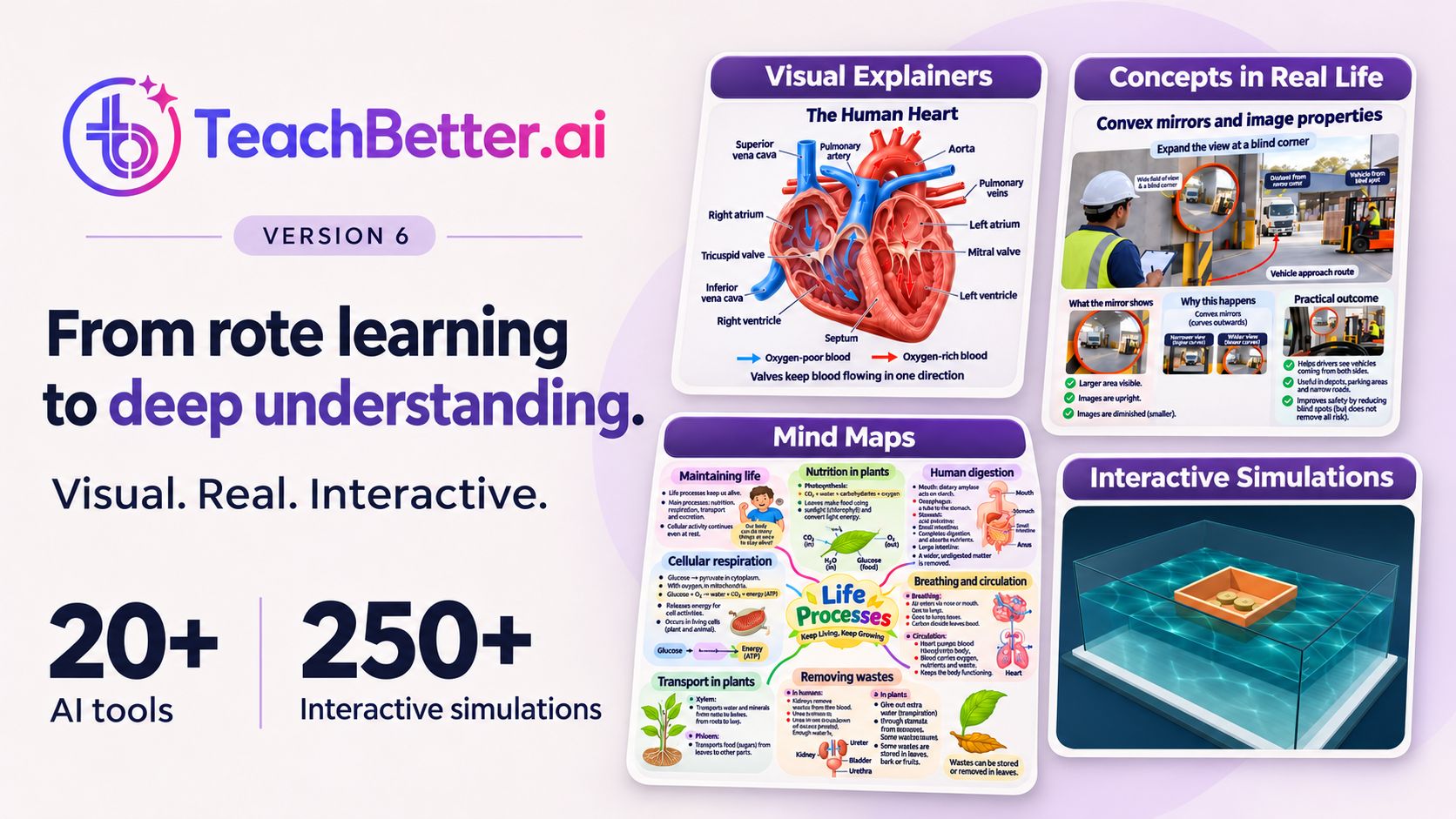
With this major update, we are introducing Visual Concept Explainers, Concepts in Real Life, Mind Map Studio and an expanded library of more than 250 curriculum-aligned interactive simulations.
These capabilities join our existing ecosystem of more than 20 AI tools, multilingual content creation, live quizzes, polls and PaperQR classroom assessments without student devices.
For the first time, teachers can move through an entire teaching journey—from preparing a lesson and explaining a concept to connecting it with life, enabling exploration and checking understanding—within one platform.
Visual explanations. Interactive learning. Extraordinary possibilities.
What Is New in TeachBetter.ai Version 6?
Version 6 is one of the most significant updates we have made to TeachBetter.ai.
We began by helping teachers prepare lesson plans, presentations, worksheets, activities, quizzes and other classroom resources. We then extended the platform into real-time classroom assessment through live quizzes, polls and PaperQR.
With Version 6, we are expanding another essential part of the teaching journey: helping educators make concepts visual, relatable, connected and open to exploration.
The update introduces four major capabilities:
| What is new? | What can teachers do with it? |
| Visual Concept Explainers | Communicate complex concepts through clear, engaging educational visuals |
| Concepts in Real Life | Connect academic ideas with everyday experiences and practical applications |
| Mind Map Studio | Organise chapters into connected visual structures for teaching and revision |
| 250+ interactive simulations | Let students change variables, test predictions and observe outcomes |
Together with our existing teaching and assessment tools, these capabilities support a complete sequence:
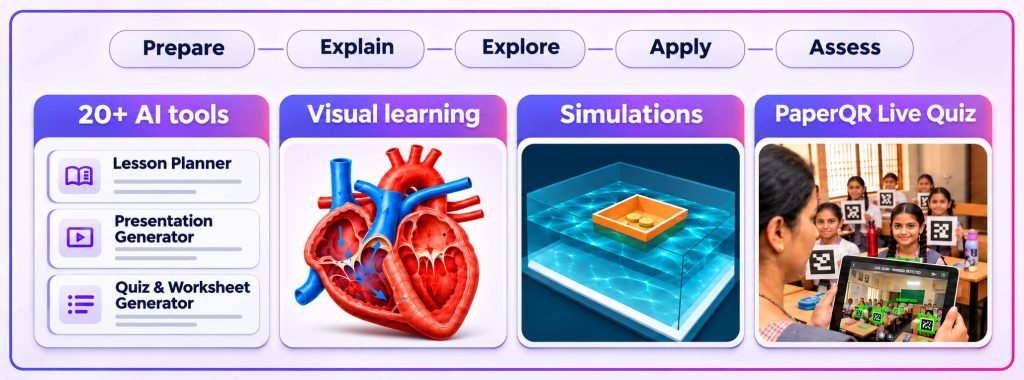
Prepare → Explain → Explore → Apply → Assess
Why Version 6 Is an Important Step in Our Journey
Version 6 is not simply a collection of new tools added to the platform.
It represents an important evolution in what we want TeachBetter.ai to help educators accomplish.
Our earlier releases focused on helping teachers prepare resources more efficiently and conduct classroom assessments more effectively. Those capabilities remain central to the platform.TeachBetter.ai Version 6 brings visual learning and interactive exploration closer to everyday classroom teaching.
However, preparation and assessment are only two parts of teaching. Between them lies the most important classroom challenge: helping students understand the concept.
Teachers must decide how to explain an idea, how to make it relevant, how to address misconceptions and how to help students move from remembering information to applying it.
Version 6 is designed for that part of the journey.
It gives teachers more ways to answer three essential questions:
How can I explain this concept more clearly?
How can I show students why it matters?
How can students explore how it works?
Visual Concept Explainers support clarity. Concepts in Real Life builds relevance. Mind Map Studio reveals relationships. Interactive simulations enable investigation.
Together, they move TeachBetter.ai beyond AI-assisted resource creation towards a more complete visual, interactive and assessment-led teaching environment.
From AI-Assisted Preparation to a Complete Teaching Experience
Artificial intelligence in education is often discussed mainly as a way to generate content more quickly.
That is useful, but teaching involves much more than producing a lesson plan, presentation or worksheet.
A complete teaching experience requires educators to identify the learning objective, choose an explanation, build context, anticipate misconceptions, encourage participation and determine whether students have understood.
We have designed Version 6 around this wider process.
A teacher can use TeachBetter.ai to prepare a lesson and create supporting materials. The same teacher can then select a visual resource, introduce a real-life connection, invite students to investigate through a simulation and check understanding through a live quiz or PaperQR assessment.
Teachers no longer have to treat lesson preparation, visual explanation, classroom exploration and assessment as unrelated workflows supported by different platforms.
We are bringing them together within one connected teaching environment.
Why We Have Put Visual and Interactive Learning at the Centre
Students do not always struggle because information is missing. Sometimes, the available explanation does not make the relationship clear enough.
A textbook paragraph can define a concept accurately. Blackboard notes can organise the main points. A teacher’s explanation can guide students through the reasoning.
But some ideas become clearer only when students can see a system, compare its parts, connect it with a familiar experience or observe what happens when a condition changes.
Consider an electrical circuit. Students may recognise the symbols for a cell, switch and lamp but remain uncertain about why the path must be complete.
Consider fractions. Students may know the procedure for comparing two fractions but struggle to think of them as quantities.
Consider the monsoon. Students may remember the direction of seasonal winds without understanding how heating, pressure, moisture and terrain interact.
Visual and interactive experiences create additional pathways into these concepts.
They make relationships visible. They give students reasons to predict and question. They create shared experiences around which the teacher can build discussion.
The visuals and simulations in Version 6 are not decorative additions. They are designed to help teachers make understanding more achievable.
The Classroom Shift Behind Version 6
We have built Version 6 to support three important shifts in teaching and learning.
From rote memorisation to conceptual understanding
Rote practice can help students retain essential facts, vocabulary and procedures. The limitation appears when students can reproduce an answer but cannot explain why it is correct or apply the idea in a different situation.
Version 6 gives teachers more ways to reveal the structure behind an answer.
Students can see relationships through Visual Concept Explainers, connect ideas through mind maps and investigate cause and effect through simulations.
The purpose is not to eliminate memory from learning. It is to ensure that memory is supported by meaning.
From isolated theory to real-world application
Students frequently encounter ideas as chapter headings, definitions and examination questions. Concepts in Real Life helps teachers connect these ideas with situations students recognise outside the classroom.
Friction becomes relevant to walking, braking, sports shoes and vehicle tyres. Percentages become relevant to discounts, interest and data. Pressure appears in syringes, drinking straws and hydraulic systems. Electricity connects with appliances, safety and energy use.
These connections help students understand that academic concepts are not limited to textbooks. They provide ways to interpret real situations and make informed decisions.
From periodic testing to continuous feedback
When understanding is measured mainly through periodic examinations, learning gaps can remain hidden while teaching moves forward.
TeachBetter.ai combines explanation and exploration with live quizzes, polls and PaperQR assessments.
Teachers can check understanding while the concept is still being taught and decide whether students are ready to move forward.
The resulting classroom cycle becomes more responsive:
Teach → Explore → Check → Respond
What Classroom Challenges Does Version 6 Address?
Version 6 has been developed around challenges teachers encounter in everyday practice.
Explaining abstract ideas: Some concepts cannot be observed directly. Others involve relationships, movements or systems that are difficult to communicate through words alone.
Visual explainers and simulations make these ideas more tangible.
Finding meaningful classroom examples: Teachers know that real-life examples strengthen learning, but finding an accurate, age-appropriate example and designing it into a classroom-ready visual can require significant preparation.
Concepts in Real Life provides a ready-to-use starting point.
Helping students connect the whole chapter: Students may understand individual sections without recognising the relationships between them. This can make revision fragmented and reduce their ability to explain the topic as a whole.
Mind Map Studio makes the chapter’s structure visible.
Creating opportunities for investigation: Physical experiments are valuable, but they may be constrained by equipment, safety, time or the nature of the concept. Some systems are too large, small, fast, slow or complex to observe directly.
Interactive simulations provide another environment in which students can test ideas and compare outcomes.
Knowing whether the class has understood: Voluntary answers reveal what a few confident students know. Periodic examinations may reveal gaps only after the class has moved to another topic.
Live quizzes, polls and PaperQR allow teachers to gather broader classroom responses during the learning process.
Managing preparation across multiple tools: A teacher may need a lesson plan, explanation, presentation, activity, worksheet, visual, simulation and assessment for one topic.
Creating these across disconnected applications adds friction to preparation. TeachBetter.ai brings these requirements into a more coherent workflow.
We Are Not Launching Four Isolated Features
Visual Concept Explainers, Concepts in Real Life, Mind Map Studio and interactive simulations each address a different teaching need.
However, we have not designed them as four unrelated additions.
Together, they support four ways in which students build understanding.
See it clearly: A visual representation helps students identify the important components, stages and relationships within a concept.
Connect it with life: A familiar situation helps students understand why the concept matters and where it appears beyond the textbook.
Bring the ideas together: A mind map helps students recognise how definitions, principles, examples and applications belong to the same topic.
Explore through interaction: A simulation allows students to change a condition, observe the response and build an explanation from evidence.
TeachBetter.ai then adds another essential stage:
Check understanding: Live quizzes and PaperQR help teachers determine whether students can explain and apply what they have explored.
This is the larger teaching model behind Version 6:
Prepare → Explain → Explore → Apply → Assess
Who Is TeachBetter.ai Version 6 Designed For?
Teachers: Version 6 gives teachers ready-to-use visual and interactive resources alongside AI-supported preparation and assessment. TeachBetter.ai Version 6 provides practical resources to support teachers, students and schools across different subjects. Educators can choose the combination that fits the concept, class and available time.
Students: Students gain more ways to encounter a concept. They can see it, connect it with a familiar situation, manipulate variables, organise relationships and receive feedback.
Schools and school leaders: Schools can use Version 6 as a shared teaching-support environment across subjects and grades. Visual resources can be personalised with school information, while institutional licences can be managed centrally.
Teacher educators and training organisations: Version 6 can support professional development around AI-assisted planning, visual pedagogy, inquiry-based learning and formative assessment.
Government and education organisations: Education departments, government bodies, NGOs and teacher-support programmes can explore how a common platform may support preparation, multilingual teaching, interactive learning and classroom assessment across diverse school environments.
Four Powerful Additions at the Centre of Version 6
Each Version 6 capability addresses a distinct teaching need.
Used independently, each can strengthen a lesson. Used together, they can create a connected learning experience.
1. Visual Concept Explainers: Make Complex Ideas Easier to See
With Version 6, we are introducing a rich collection of Visual Concept Explainers designed to make difficult ideas clearer through engaging educational visuals.
Some concepts become challenging because students must mentally organise several relationships at once.
A paragraph may describe every component accurately, but the learner must still imagine how those components connect. This becomes particularly difficult when a concept involves a system, sequence, cycle, comparison or chain of causes and effects.
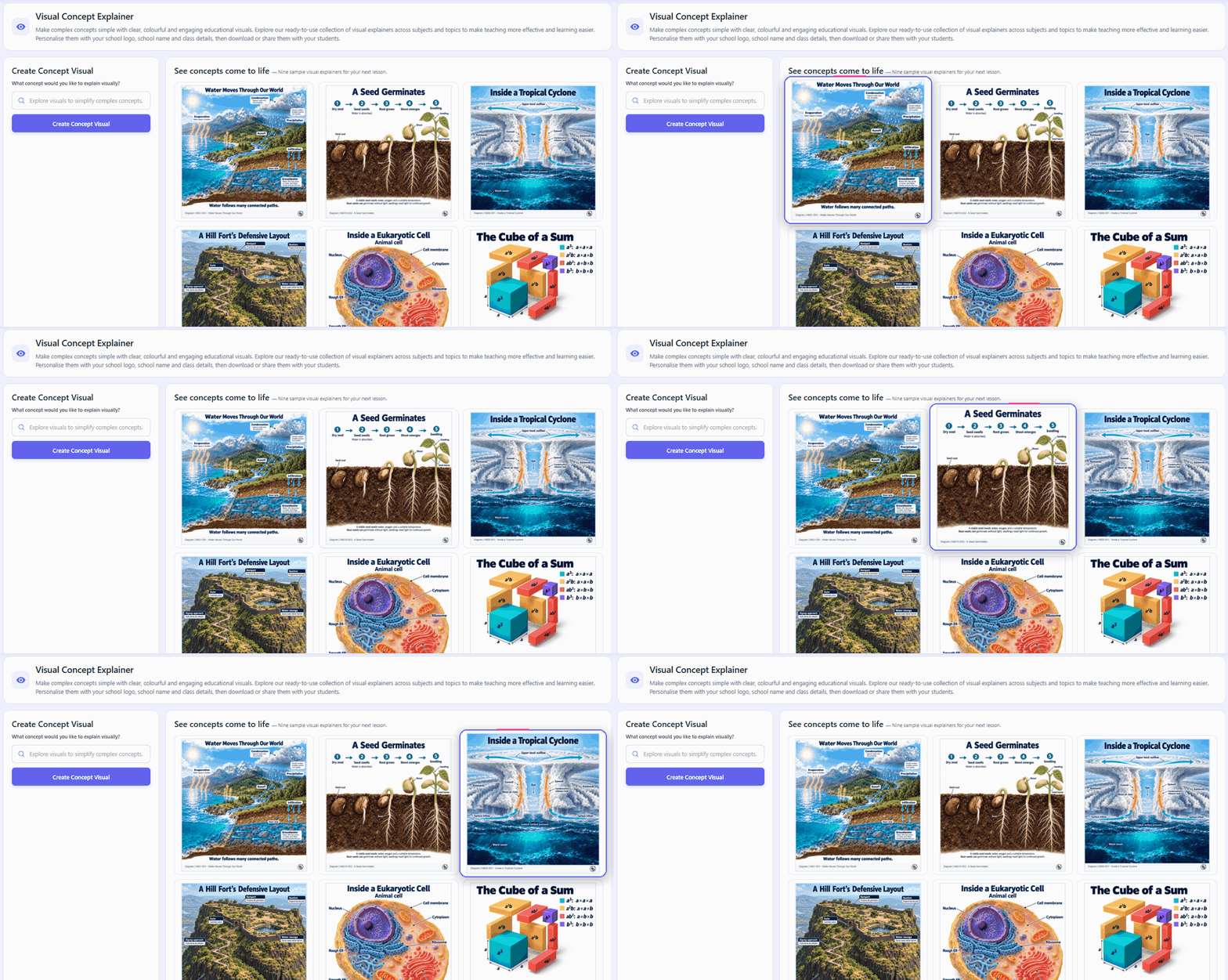
Visual Concept Explainers bring these relationships into view.
Teachers can search our ready-to-use collection across subjects and topics and select a resource that matches the concept they are teaching.
A carefully designed visual can help students:
- Identify the most important components
- Follow a process in the correct sequence
- Compare related ideas
- Recognise cause-and-effect relationships
- Revisit a concept without rereading a long passage
- Develop a mental model before applying the concept
Consider the water cycle. A textual explanation introduces evaporation, condensation, precipitation and collection. A visual explainer shows how water moves through the complete system.
In biology, a visual can trace the movement of blood through the heart. In mathematics, it can represent relationships between areas or quantities. In social science, it can organise the causes and consequences of an event.
Teachers can personalise suitable resources with their school logo, school name and class details before downloading or sharing them.
Our objective is not to replace teacher explanation. It is to give that explanation a visual structure students can see, discuss and revisit.
2. Concepts in Real Life: Show Students Where Learning Matters
Students often ask: “Where will I use this?”
We believe this is one of the most valuable questions a student can ask. It invites the teacher to connect academic learning with the world beyond the chapter.
Concepts in Real Life is our new collection of educational visuals connecting classroom concepts with everyday situations and practical applications.
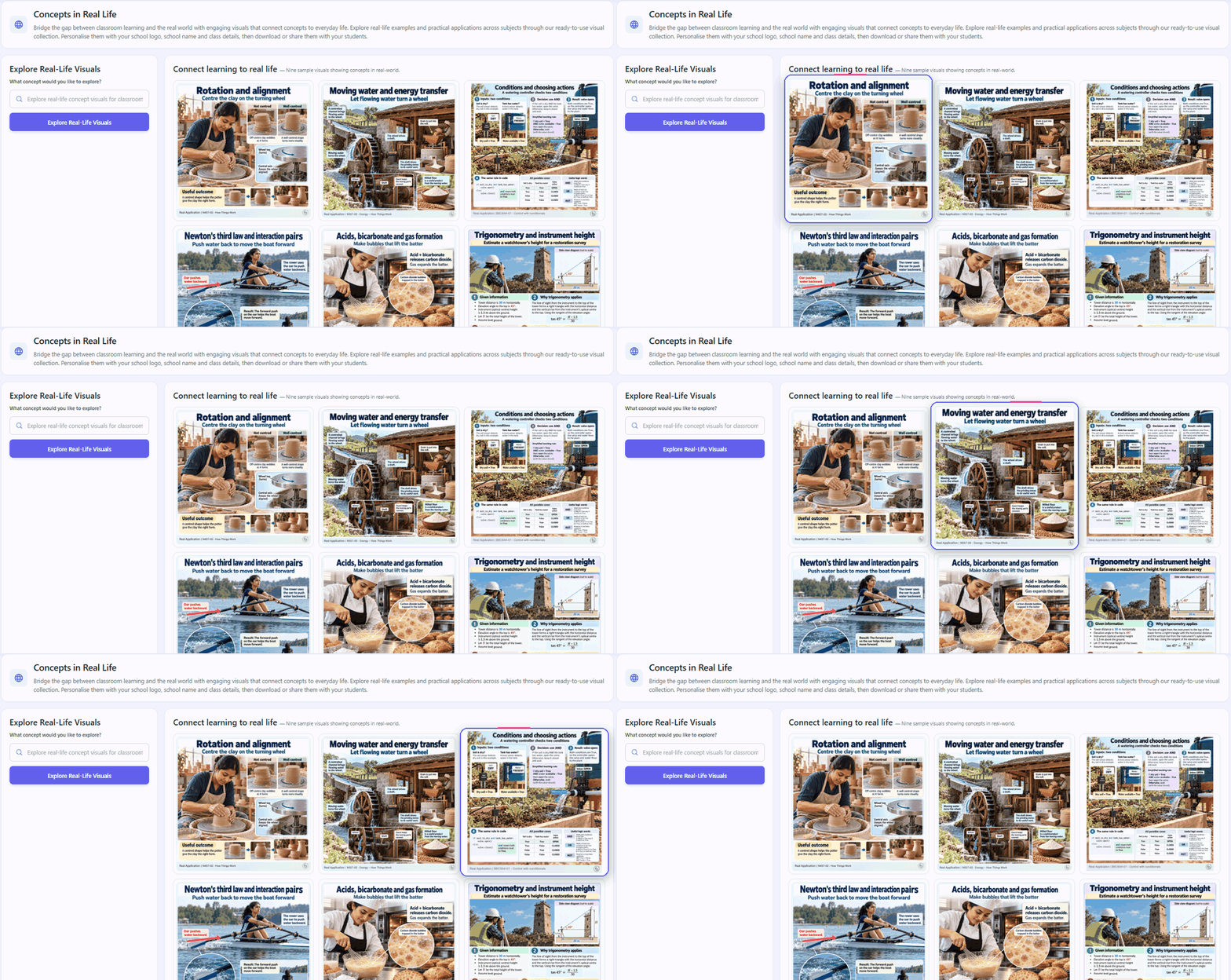
Friction can be connected with walking, braking, sports shoes and vehicle tyres. Percentages can be connected with discounts, interest and data. Pressure can be explored through drinking straws, syringes and hydraulic systems. Water conservation can be connected with taps, leaks and household choices.
These are more than interesting examples.
A relevant real-life connection activates students’ existing knowledge because they recognise the situation. It gives them a familiar context in which to discuss an unfamiliar idea. It also helps students recognise that the same academic principle can appear in several different situations.
The strongest real-life examples encourage further questions:
- Why does this concept apply here?
- Which part of the situation demonstrates it?
- What would change if the conditions were different?
- Where else might the same principle appear?
- How could this knowledge influence a decision?
Teachers can search the collection by topic, choose a suitable visual, personalise it and use it during explanation, discussion, application or revision.
Through Concepts in Real Life, we want to make it easier for teachers to answer not only “What does this concept mean?” but also “Why should students care about it?”
3. Mind Map Studio: Help Students See the Whole Chapter
Students may understand individual lessons but still struggle to see how the complete chapter fits together.
Traditional notes are usually linear. Learning is often relational.
A new concept may depend on an earlier idea. One event may have several causes and consequences. A category may contain several examples. A formula may belong to a broader set of relationships.
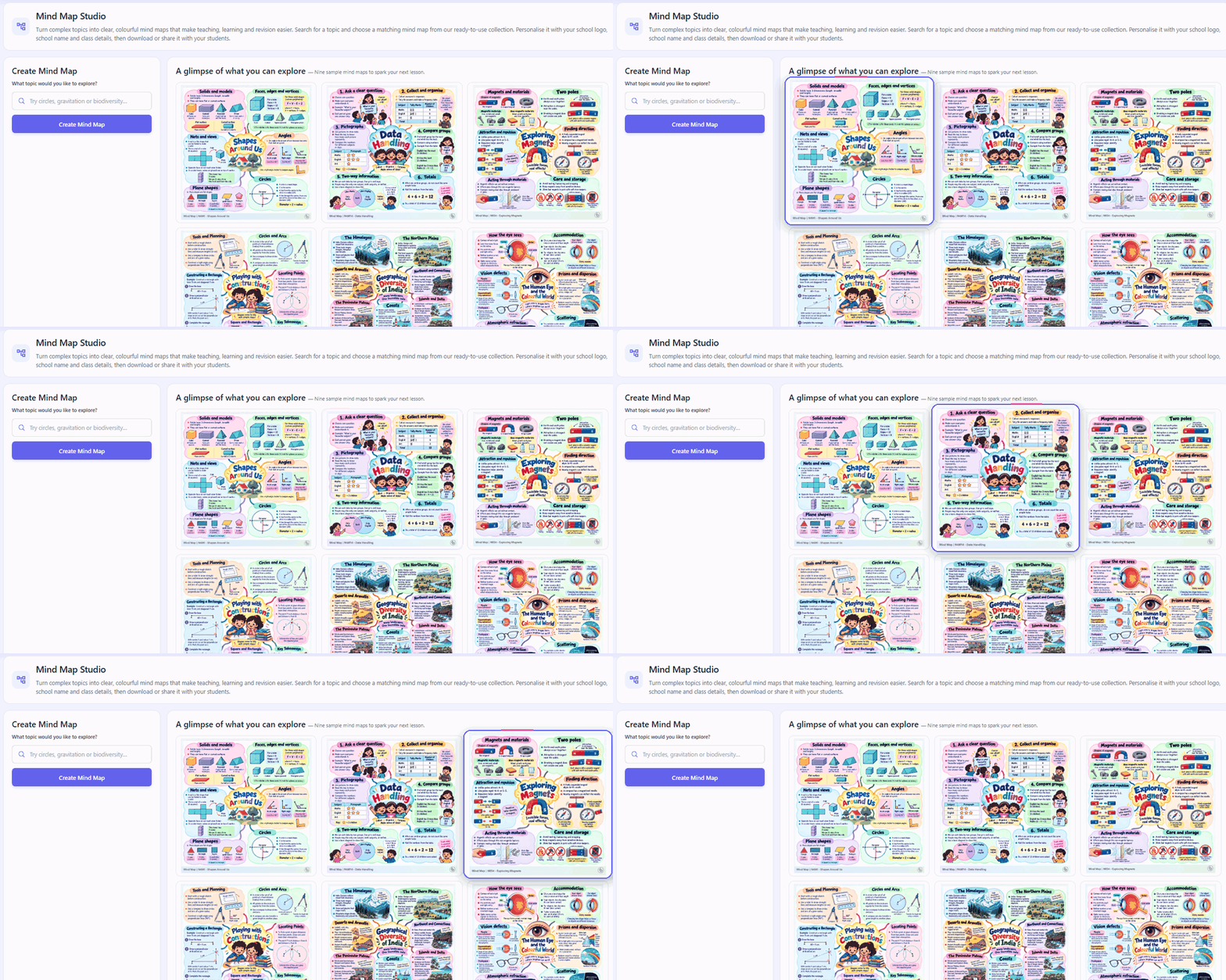
Mind Map Studio makes these connections visible.
Teachers can explore our ready-to-use mind map collection and use the Mind Map Generator to turn chapters and topics into clear, connected visual structures.
A central idea branches into major themes. Supporting concepts, examples, vocabulary and applications appear beneath them.
Mind maps can support different stages of learning.
At the beginning of a chapter, a map can preview the learning journey. During instruction, it can show where each new idea belongs. At the end, it can consolidate the chapter and support revision.
Students can use mind maps to:
- Distinguish major ideas from supporting details
- Understand relationships between concepts
- Recall information through visual organisation
- Explain a topic in a structured manner
- Identify sections requiring further revision
- See how individual lessons contribute to the entire chapter
A photosynthesis mind map might connect raw materials, conditions, process, products, leaf structure, environmental importance and investigations.
A map on democratic institutions could organise responsibilities, relationships and checks between different bodies. A mathematics map could connect formulas with their meanings, conditions and applications.
Teachers can personalise suitable maps with their school logo, school name and class details before downloading or sharing them.
Through Mind Map Studio, we want to help students move beyond remembering isolated pieces of information and begin seeing the bigger picture.
4. More Than 250 Interactive Simulations: Turn Explanation into Exploration
One of the biggest changes in Version 6 is the expansion of our simulation library to more than 250 curriculum-aligned interactive simulations across K–12 subjects and topics.
A diagram shows students one representation of a concept. A simulation allows them to investigate how that representation changes.
Students can modify variables, test predictions, compare conditions and observe outcomes. Teachers can use these experiences to build lessons around inquiry, evidence and discussion.
A productive simulation journey can follow five stages:
Predict: What do you expect to happen?
Change: Which variable or condition will you modify?
Observe: What changed, and what remained constant?
Explain: Which concept accounts for the result?
Test again: Does your explanation continue to work in another situation?
Students can reshape a boat and change its load to investigate buoyancy. They can construct circuits and compare different connections. They can explore Earth–Moon–Sun relationships, rearrange geometric areas, trace circulation through the heart, investigate weather systems or train a simple artificial intelligence classifier.
We have designed the expanded library to extend beyond a conventional virtual science laboratory.
It includes opportunities to explore concepts in mathematics, geography, economics, computer science and artificial intelligence as well as physics, chemistry and biology.
A simulation gives students control over part of the experience. The teacher gives that experience its educational purpose.
By asking students to predict, observe and explain, teachers can turn digital interaction into meaningful conceptual exploration.
How Do the Four Version 6 Capabilities Work Together?
The capabilities become most powerful when they are used as parts of the same learning journey.
Consider a lesson on electricity.
The teacher can begin with a Visual Concept Explainer to introduce the components of a circuit and show why a complete path is necessary.
Concepts in Real Life can connect the circuit with switches, batteries, household appliances, safety devices and electricity use.
Students can then use an interactive simulation to construct a circuit, operate a switch, change resistance and compare series and parallel arrangements.
A mind map can bring together circuit components, symbols, types of connections, effects, safety and applications.
Finally, the teacher can use a live quiz or PaperQR assessment to check whether students can analyse a new circuit.
The result is a complete sequence:
Prepare → Explain → Explore → Apply → Assess
The same approach can be applied across subjects.
For fractions, students can see the quantities, connect them with sharing and measurement, manipulate representations and consolidate the relationships through a mind map.
For photosynthesis, they can see the process, connect it with food and ecosystems, investigate the effect of changing conditions and organise the chapter visually.
For monsoons, they can examine heating and pressure, connect rainfall with agriculture, explore moisture and terrain and map the interacting factors.
Not every lesson needs every capability. Teachers can choose the combination most appropriate for the learning objective, class and available time.
The Four Updates Build on Our 20+ AI Tools
Version 6 does not replace the capabilities already available on TeachBetter.ai. It strengthens them.
Our collection of more than 20 AI tools supports:
- Lesson planning
- Multimedia presentations
- Concept explanations
- Notes and summaries
- Quizzes and question banks
- Worksheets and practice materials
- Classroom activities
- Stories and creative resources
- Project ideas
- Assessment and reporting
The value of bringing these tools together is not simply convenience.
Teaching resources are connected. The lesson plan informs the presentation. The presentation introduces the activity. The activity prepares students for assessment. The assessment reveals what should be revisited.
With Version 6, visual resources and interactive experiences become part of this connected workflow.
A teacher can move from planning the lesson to explaining the concept, enabling exploration and checking understanding without repeatedly rebuilding the same context across different platforms.
Teachers Should Not Need to Become Prompt Engineers
We have designed TeachBetter.ai around the way teachers already think and plan.
Guided inputs help educators specify practical requirements such as the subject, topic, grade, learning objective, language, teaching approach and desired output.
Teachers do not need to begin by writing complicated AI prompts.
The platform provides a structured starting point. The teacher then reviews, refines and adapts the resource using professional judgement and knowledge of the class.
AI supports the process. The teacher remains in control of the learning objective, classroom context and final material.
Create Teaching Resources in More Than 80 Languages
TeachBetter.ai supports content generation in more than 80 Indian and international languages.
We built this capability because language plays a central role in understanding.
Teachers may need to explain a difficult concept in a language students understand more confidently. They may teach multilingual groups or want to build a bridge between the language of instruction and the language students use in everyday life.
Multilingual generation gives educators another starting point for creating explanations, activities and learning resources for diverse classrooms.
Teachers can review and adapt the output for local language use, accuracy and age appropriateness before using it with students.
PaperQR: Check Understanding Without Student Devices
Visual and interactive teaching becomes more effective when teachers can determine what students have understood.
That is why assessment remains an important part of the Version 6 experience.
Teachers can conduct live quizzes and polls when students have access to devices. In classrooms where individual devices are unavailable or unsuitable, PaperQR offers another option.
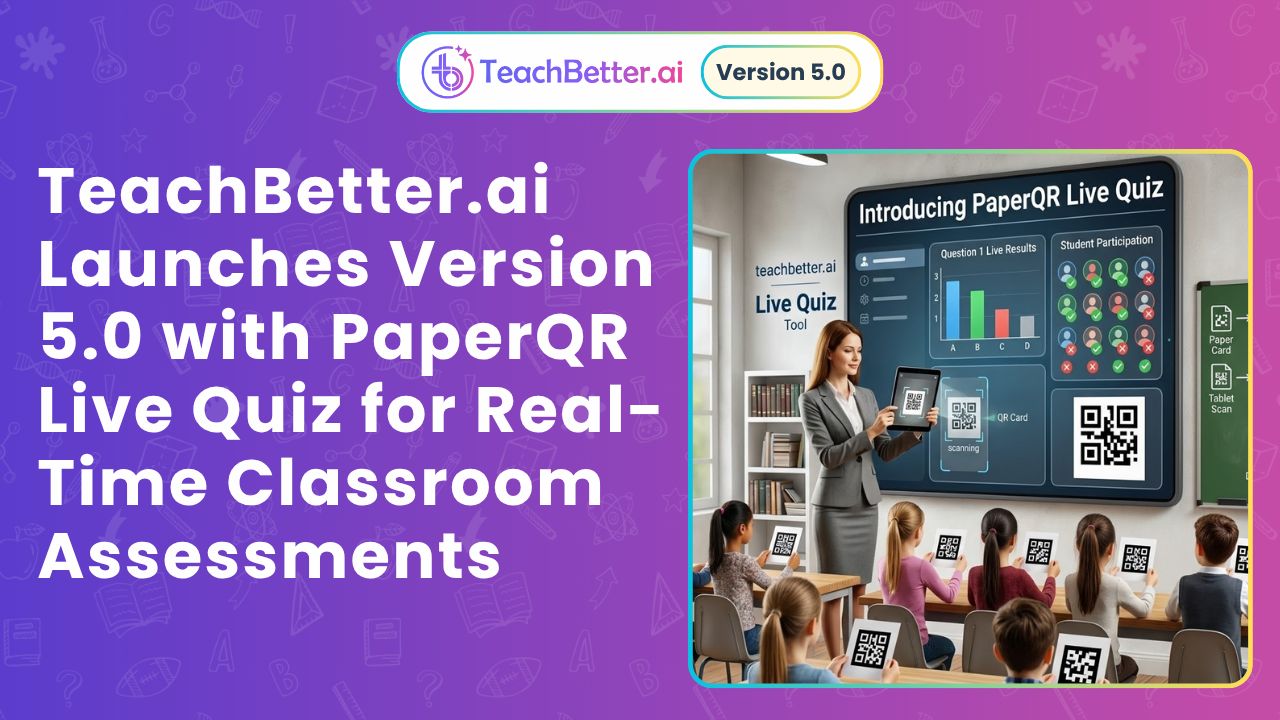
With PaperQR, students answer multiple-choice questions using printed response cards. Each card is uniquely mapped to a student.
To select an answer, the student holds the card in the orientation corresponding to option A, B, C or D. The teacher scans the classroom using a phone or laptop camera.
TeachBetter.ai captures the responses and generates scores and insights.
Students do not require individual phones, tablets or laptops.
This allows teachers to gather responses from across the class rather than hearing only from volunteers. It also helps identify difficult questions and concepts that may need further explanation.
A teacher can explain a concept visually, let students explore it through a simulation and use PaperQR to determine whether the class is ready to move forward.
From Periodic Testing to Continuous Feedback
The purpose of classroom assessment is not only to produce a score. It is to inform the next teaching decision.
When a teacher checks understanding during a lesson, several responses become possible. The teacher may clarify a concept, provide another example, invite students to revisit the simulation, change the grouping or adjust the pace.
Version 6 makes this feedback loop easier to create:
Prepare → Explain → Explore → Apply → Assess
After students investigate how resistance affects current, for example, the teacher can present a new circuit question through PaperQR.
If many students select an incorrect response, the class can return to the simulation and test the relationship again.
Assessment becomes part of the learning process rather than an event that takes place only after instruction has ended.
What Version 6 Means for Teachers
For teachers, Version 6 offers more ways to communicate and explore the same concept.
An educator can choose a visual explanation, real-life connection, mind map, simulation or combination of resources. Supporting lesson plans, presentations, activities and assessments can be developed within the wider platform.
Teachers retain control over when each resource is used and how it is adapted.
Version 6 expands the available teaching options without prescribing a single way to teach.
What Version 6 Means for Students
For students, Version 6 creates more opportunities to engage with ideas actively.
Students can see a process, connect it with life, change a variable, compare results, organise relationships and receive feedback.
Different representations also create different entry points.
One student may understand through a diagram, another through a real-world example and another by testing the concept interactively.
Encountering the same idea in multiple forms can also help students recognise and apply it in unfamiliar situations.
What Version 6 Means for Schools
For schools, Version 6 brings preparation, visual teaching, inquiry and assessment into a more coordinated environment.
Visual resources can be personalised with school and class information. Simulations can support inquiry across departments. PaperQR can extend whole-class participation without making student access dependent on individual devices.
Institutional plans allow schools to manage multiple licences centrally while providing teachers with access to a shared set of tools and resources.
This creates opportunities to support visual learning, interactive teaching and continuous assessment across classrooms without requiring every educator to assemble a separate technology stack.
Designed to Be Practical and Accessible
Powerful technology creates educational value only when teachers can adopt it in everyday practice. We have worked to make TeachBetter.ai comprehensive while keeping the experience guided, accessible and affordable.
Our current teacher subscription is available at ₹299 per month. New users can begin with a 10-day free trial without providing payment details. Schools can also explore institutional options and centrally managed licences.
Because offers and plan details may change, the latest information is always available on our pricing page.
Our teacher workshops complement the platform by helping educators explore practical applications of AI in lesson planning, content creation, classroom engagement and assessment.
Thousands of teachers across India and other countries already use TeachBetter.ai. Our community includes individual educators, private schools, NGO-run schools and government classrooms.
Our goal is to make advanced teaching support practical across diverse school environments—not only in classrooms with extensive technology infrastructure.
Why We Built Version 6
As our Founder and CEO, Binit Agarwalla, explains:
“Teachers should be able to bring a concept to life in several different ways without spending hours preparing every resource.
With Version 6, we are making visual explanation, real-world application and interactive discovery easier to bring into everyday lessons. Our larger goal is to make deeper learning practical at scale, with teachers at the centre.”
This teacher-centred approach guides the way we build TeachBetter.ai. Technology should not determine the purpose of a lesson. The learning objective comes first.
The teacher decides whether students need a clearer explanation, another example, an investigation, additional practice or immediate feedback. Our role is to give educators more practical ways to act on those decisions.
Frequently Asked Questions About TeachBetter.ai Version 6
What is TeachBetter.ai Version 6?
TeachBetter.ai Version 6 is a major platform update focused on visual explanations and interactive learning.
It introduces Visual Concept Explainers, Concepts in Real Life, Mind Map Studio and more than 250 curriculum-aligned interactive simulations.
When does TeachBetter.ai Version 6 launch?
TeachBetter.ai Version 6 launches on 16 November 2026.
What is the Version 6 launch theme?
The launch theme is: Visual explanations. Interactive learning. Extraordinary possibilities.
The supporting line is: Bring concepts to life. Empower teachers to explain. Inspire students to explore.
What are the four major Version 6 updates?
The four updates are Visual Concept Explainers, Concepts in Real Life, Mind Map Studio and an expanded library of more than 250 interactive simulations.
How is Version 6 different from earlier releases?
Our earlier releases established TeachBetter.ai’s AI tools, multimedia resources, simulations and PaperQR assessment.
Version 6 expands the platform’s visual-learning resources and increases the simulation library to more than 250 experiences. It creates a stronger connection between explanation, real-world application, exploration, organisation and assessment.
What subjects are covered by the simulations?
The simulation library covers K–12 subjects and topics, including science, mathematics, geography, economics, computer science and artificial intelligence.
Are the visual resources ready to use?
Yes. Teachers can explore ready-to-use collections of mind maps, Visual Concept Explainers and Concepts in Real Life resources across subjects and topics.
Can teachers personalise the visual resources?
Suitable visual resources can be personalised with the school logo, school name and class details before being downloaded or shared.
Does TeachBetter.ai include lesson-planning tools?
Yes. We offer more than 20 AI tools for lesson plans, presentations, quizzes, worksheets, notes, activities, projects, concept explanations and other teaching resources.
Do teachers need to write complicated AI prompts?
No. Guided inputs help teachers specify the subject, grade, topic, language and required resource without depending on complex prompt writing.
Can teachers use their own reference material?
Yes. Teachers can work with reference documents and educational videos when developing lesson plans, presentations, questions, notes and other resources.
Does TeachBetter.ai support multiple languages?
Yes. TeachBetter.ai supports content generation in more than 80 languages.
What is PaperQR?
PaperQR is our classroom assessment capability that allows students to answer multiple-choice questions using printed response cards.
The teacher scans the cards using a phone or laptop camera to capture responses, scores and insights.
Do students need devices for PaperQR?
No. Students answer using printed cards. Only the teacher requires a phone or laptop camera for scanning.
Can schools use TeachBetter.ai?
Yes. We offer institutional options and central licence-management capabilities for schools.
Is a free trial available?
Yes. We currently offer new users a 14-day free trial without payment details. The latest offer and plan information is available on our pricing page.
A New Chapter for TeachBetter.ai—and for Visual, Interactive Teaching
Version 6 is an important step forward in our journey to build a comprehensive, easy-to-use and affordable teaching platform.
It brings visual explanation, real-world relevance, connected knowledge and interactive exploration into the same environment as lesson preparation and classroom assessment. TeachBetter.ai Version 6 marks another step towards making visual and interactive learning accessible to more classrooms.
For teachers, that means more ways to bring a concept to life.
For students, it means more opportunities to see, question, test and understand.
For schools, it creates new possibilities for supporting engaging, concept-focused teaching across classrooms.
We do not believe the future of teaching is about replacing textbooks, blackboards or teachers.
It is about expanding what teachers can do with them.
A concept can begin with words, become clearer through a visual, gain relevance through a real-life application, become investigable through a simulation and be consolidated through a mind map.
The teacher can then check whether students are ready to move forward.
That is the connected teaching journey at the heart of Version 6.
Visual explanations. Interactive learning. Extraordinary possibilities.
Bring concepts to life. Empower teachers to explain. Inspire students to explore.
With Version 6, we are bringing TeachBetter.ai closer to our larger goal: helping classrooms move from rote learning towards deeper understanding and real-world application—at scale.