Best AI Platform for English Teachers: Practical Tools for Lesson Planning, Writing, Assessment and More
Vipin Kumar
|
 15 October, 2026
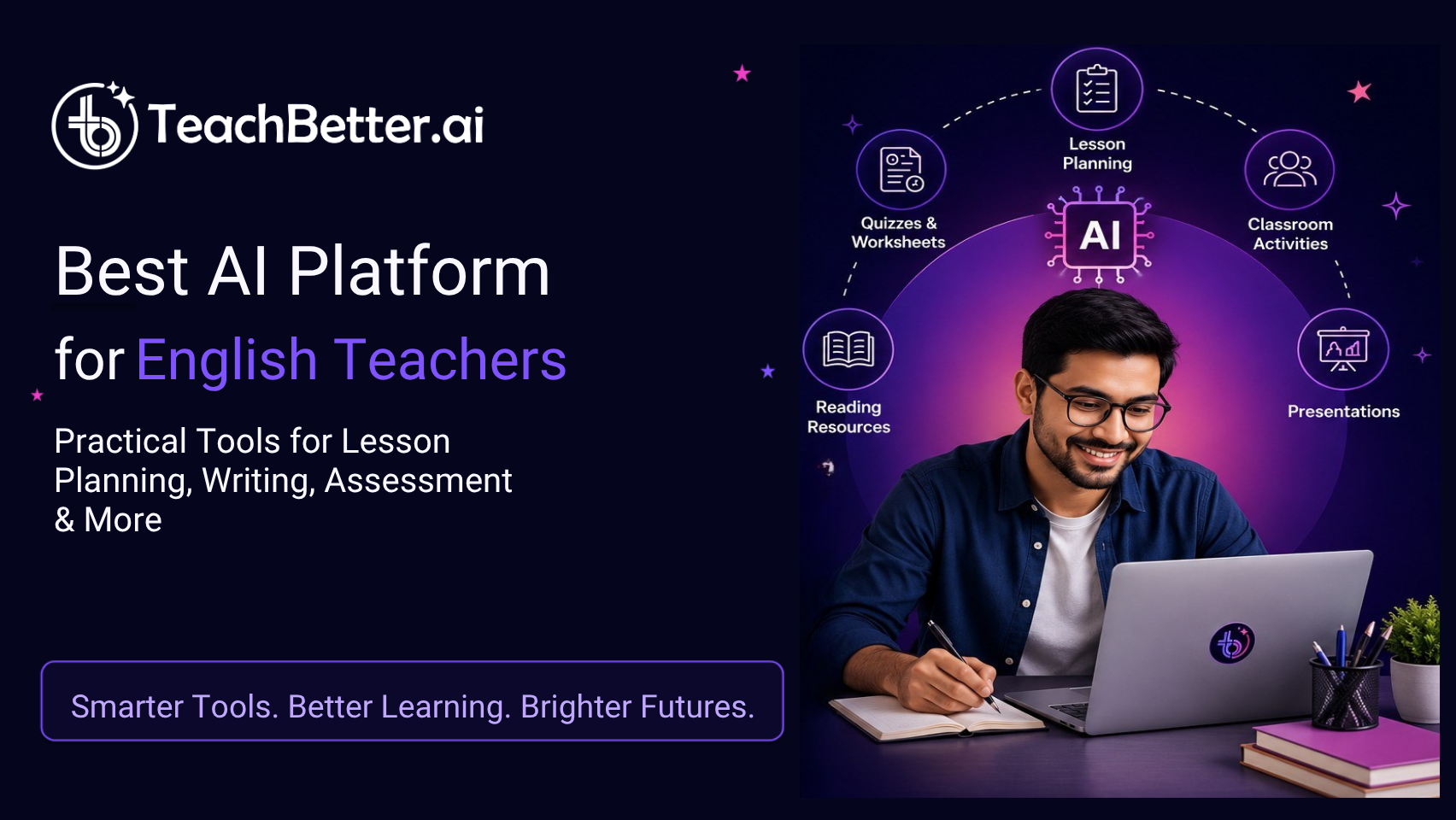
Finding the best AI platform for English teachers can make lesson planning, worksheet creation, assessment and classroom preparation easier. English teachers manage a wide range of tasks, from explaining grammar rules and discussing literature to creating reading passages, vocabulary activities, presentations and writing exercises. The right AI tools can help teachers save time, develop engaging learning resources and support students with different levels of language proficiency.
Artificial intelligence is becoming a practical support for these everyday tasks. The right AI tools can help an English teacher move from a blank page to a structured lesson, generate differentiated practice material, create assessment questions, improve existing resources and develop more engaging classroom activities. The important question, however, is not simply whether an AI tool can generate text. It is whether the tool fits the way teachers actually plan, teach, assess and adapt learning.
That is where an education-focused platform can make a difference. Instead of asking teachers to construct detailed prompts for every task, a teaching platform can organize AI capabilities around familiar classroom workflows such as lesson planning, concept explanation, activity creation, worksheet generation, presentations and assessment.
For English teachers looking for the best AI platform for English teachers, the useful approach is therefore to look beyond individual features and evaluate how well an AI platform supports the complete teaching cycle.
What Can AI Do for English Teachers?
AI for English teaching can support almost every stage of classroom preparation, from introducing a new topic to checking whether students have understood it. It can help teachers create lesson structures, generate examples, develop comprehension questions, produce writing prompts, prepare grammar exercises, create vocabulary resources and adapt material for different levels.
For example, a Class 7 teacher teaching reported speech might need an explanation of the concept, examples that students can understand, a classroom activity, individual practice questions and a short assessment. These resources could traditionally require several separate preparation steps. AI can help create the initial versions of those materials so the teacher can spend more time reviewing, adapting and deciding how to use them.
The value becomes greater when different AI capabilities work together. A teacher can begin with a lesson plan, turn the learning objective into an activity, create supporting presentation material, prepare a worksheet and then conduct a short formative assessment. Instead of treating AI as a chatbot that produces isolated answers, teachers can use it as part of a structured preparation workflow.
UNESCO's AI Competency Framework for Teachers also emphasizes that teachers need capabilities spanning AI foundations, AI pedagogy, ethics and human-centred use. In other words, effective AI use in education is not simply about generating more content; teachers need to understand how and when AI should support teaching decisions.
What to Look for in the Best AI Platform for English Teachers?
There are many AI tools available, but they are not all designed for the same purpose. An English teacher evaluating an AI platform should consider whether it supports the complete range of teaching activities rather than only one type of content generation.
| What to look for | Why it matters for English teaching |
| Lesson planning | Helps structure objectives, explanations, activities and assessment |
| Grammar and concept support | Makes difficult language concepts easier to explain with examples |
| Worksheet and quiz generation | Creates practice and formative assessment material |
| Writing support | Helps teachers prepare writing exercises and refine existing content |
| Reading resources | Supports passages, questions, vocabulary and comprehension activities |
| Creative resources | Helps make stories, prompts and language activities more engaging |
| Presentation creation | Converts teaching points into visual classroom material |
| Document-based AI | Allows teachers to work with existing notes, PDFs or teaching material |
| Assessment workflows | Connects teaching with checks for understanding |
| Ease of use | Reduces the need to learn complicated prompt-writing techniques |
| Teacher control | Allows teachers to review, edit and adapt generated content |
| Responsible AI features | Supports appropriate use of AI with students and educational content |
This distinction is important when comparing general-purpose AI systems with education-focused AI platforms. A general chatbot can be extremely flexible, but the teacher may need to specify the subject, grade, learning objective, question format, difficulty and expected output every time. A purpose-built education platform can organize many of these requirements into dedicated workflows.
TeachBetter.ai follows this education-first model, providing structured AI tools for teachers and schools rather than requiring every classroom task to begin with a blank prompt. Its current platform includes 20+ AI tools, 100+ interactive simulations and classroom assessment capabilities such as PaperQR Live Quiz.
How an AI Lesson Planner Can Help English Teachers
For teachers comparing the best AI platform for English teachers, a structured lesson planner can provide a useful starting point for creating customized lessons and classroom activities.
An effective lesson needs a clear learning objective, an appropriate introduction, explanations, examples, opportunities for student participation, practice and some way to determine whether students understood the concept. For English, the plan may also need to account for reading level, vocabulary, language proficiency and the distinction between knowledge and actual language use.
TeachBetter.ai Lesson Planner
TeachBetter.ai's Lesson Planner is designed to help teachers create customized lesson plans for different topics. The platform's public description positions it around structured teaching workflows rather than open-ended prompting.
Consider a Class 6 teacher introducing parts of speech. Instead of starting with a blank document, the teacher can use the lesson planning workflow to structure the topic around the intended learning objective. The resulting plan can then become the foundation for examples, classroom discussion and practice activities.
The important benefit is not simply generating a lesson faster. It gives the teacher a structured starting point that can be reviewed and adapted according to the actual class.
The same approach can be used for topics such as tenses, subject-verb agreement, active and passive voice, reported speech, adjectives, sentence structure, poetry or narrative writing.
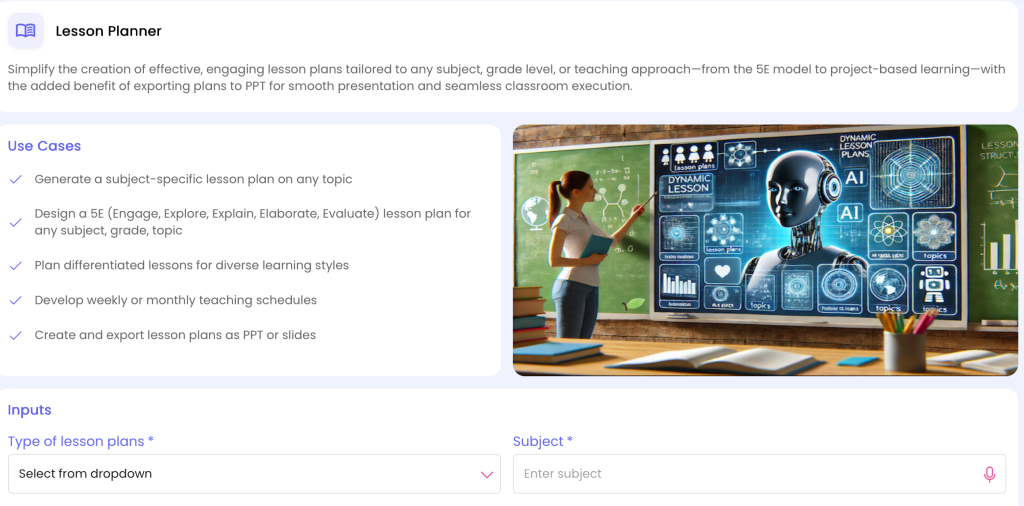
Lesson Plan: https://myspace.teachbetter.ai/view/resource/a22fe528-df57-4b65-9e16-5e9e278e7890
Using AI to Explain Difficult English Concepts
Some English concepts appear simple in a textbook but become difficult when students have to apply them.
A student may remember the definition of a metaphor but struggle to identify one in a poem. A student may know the formula for changing direct speech into reported speech but make mistakes when applying it to a sentence. Another student may understand a grammar rule when it is explained by the teacher but struggle when the same concept appears in a paragraph.
AI can help teachers prepare multiple explanations, examples and contexts for the same concept.
TeachBetter.ai Concept Explainer
Concept Explainer can help teachers prepare simpler explanations and examples for a particular topic and learner level. TeachBetter.ai currently lists Concept Explainer among its teacher and student tools.
For example, a Class 8 teacher explaining active and passive voice could use the tool to develop a straightforward explanation followed by examples from everyday situations. The teacher could then ask students to identify the subject, verb and object before transforming sentences themselves.
This is particularly useful when a class contains students who need different levels of explanation. The teacher remains responsible for selecting the final explanation, but AI can provide alternative ways of presenting the same concept.
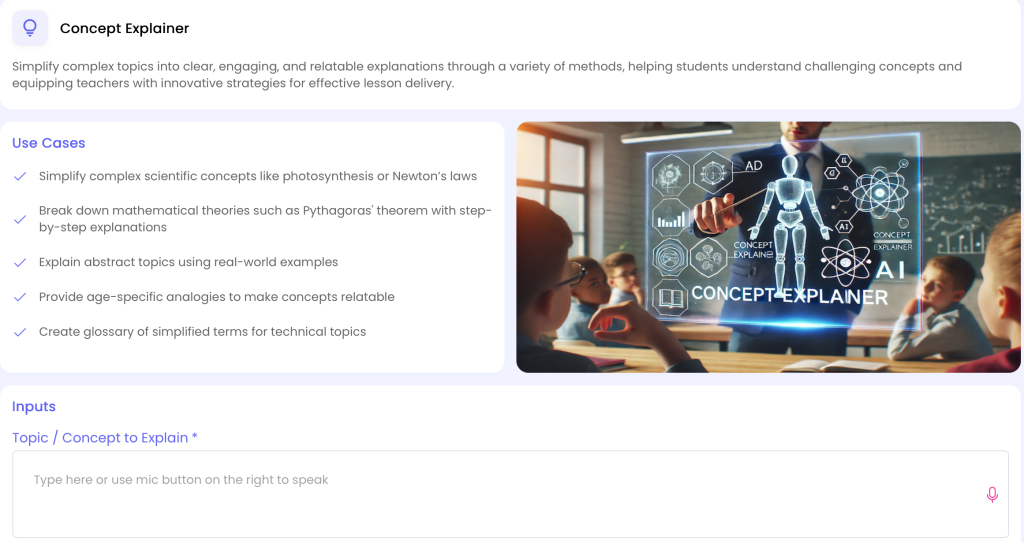
Concept Explainer: https://myspace.teachbetter.ai/view/resource/c0497939-88de-4a3e-bf66-0caf631be527
Creating Grammar Worksheets Without Starting From Scratch
The best AI platform for English teachers should also make it easier to create grammar exercises, differentiated worksheets and practice questions suited to different learning levels.
A teacher covering tenses might need multiple-choice questions, fill-in-the-blanks, sentence correction, rewriting exercises and application-based questions. Another class might require a simpler practice sheet, while a more advanced group might need contextual questions.
TeachBetter.ai Quiz & Worksheet Generator
TeachBetter.ai's Quiz & Worksheet Generator is designed for creating tailored practice and assessment material. The current platform describes the tool as supporting quizzes and worksheets for assessing and reinforcing learning.
For example, after teaching subject-verb agreement to Class 7, a teacher could create a worksheet containing sentence identification, error correction and application questions. The teacher can review the generated questions and adjust them to match the level of the class before distributing the worksheet.
The workflow becomes particularly useful when teachers need variations of the same resource. A teacher can prepare one worksheet for guided classroom practice and another with more challenging application questions for students who are ready to move further.
This makes an AI worksheet generator more useful when it becomes part of instructional planning rather than simply a machine for producing large numbers of questions.
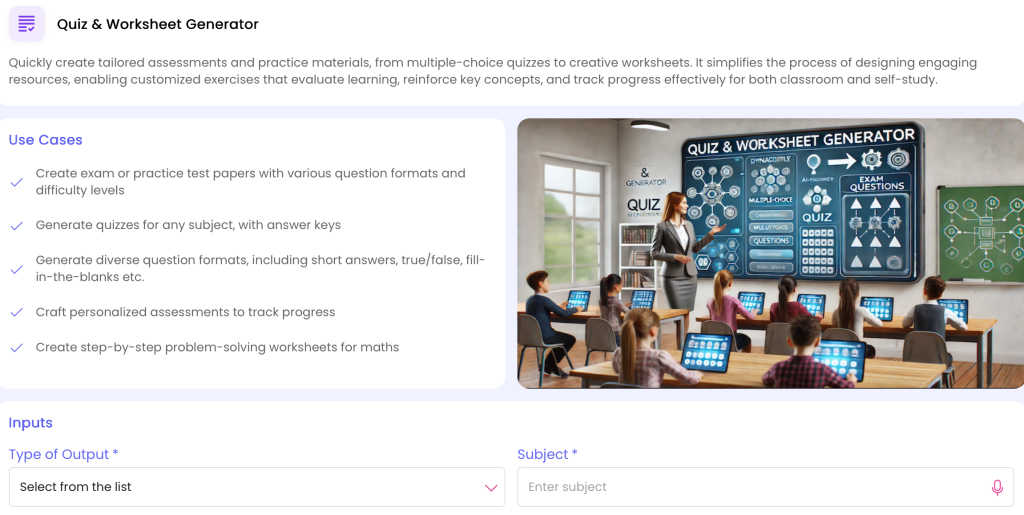
Quiz & Worksheet: https://myspace.teachbetter.ai/view/resource/92a68ed5-06f8-4a4f-b970-49fd8f3183ac
Using AI to Create English Quizzes and Formative Assessments
A quiz does more than produce marks. Used during or immediately after a lesson, it can help a teacher determine which concepts students understood and where additional explanation is required.
For English, formative assessment can cover grammar, vocabulary, reading comprehension, literary devices, writing conventions and interpretation.
Quiz & Worksheet Generator + PaperQR Live Quiz
TeachBetter.ai combines AI-based quiz creation with PaperQR Live Quiz, which allows teachers to conduct classroom quizzes using printed response cards rather than requiring every student to use a device. The platform describes the workflow as including AI-generated questions, camera-based scanning, instant evaluation and real-time performance tracking.
Imagine a Class 8 lesson on reported speech. The teacher can prepare a short quiz containing sentence transformations and conceptual questions, conduct it using PaperQR response cards and use the results as a quick check of understanding.
The value is the connection between content creation and classroom assessment. Instead of preparing a quiz in one place and manually handling the classroom responses elsewhere, the teacher can incorporate assessment into the wider AI-supported teaching workflow.
Making Vocabulary Learning More Engaging
Vocabulary instruction can easily become repetitive when students are asked to memorize word lists without enough context.
AI can help teachers create vocabulary activities around stories, situations, examples, flashcards, sentence construction and contextual usage. This gives students opportunities to encounter words rather than simply memorize definitions.
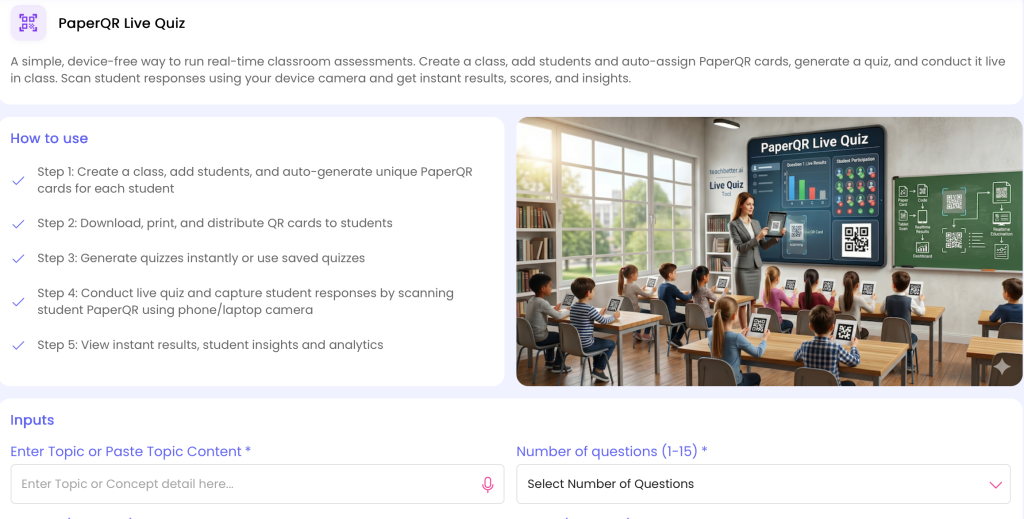
Quiz & Worksheet: https://myspace.teachbetter.ai/view/resource/8e50cc76-5b7c-47bb-b070-8d8a03d88571
TeachBetter.ai Creative Resource Generator
TeachBetter.ai's Creative Resource Generator can be used to develop classroom resources such as stories, flashcards and other creative learning material. The current platform specifically highlights interactive flashcards, songs and stories among its uses.
For example, a Class 5 teacher introducing a set of new vocabulary words could create a short story incorporating the target words and then develop follow-up activities around their meanings and usage.
For older students, the same approach could be used to create writing prompts that require students to use new vocabulary in context. This shifts vocabulary work from memorization toward active language use.
AI for Reading Comprehension
Reading comprehension requires students to understand information, infer meaning, identify evidence, interpret vocabulary and sometimes evaluate the author's ideas.
Preparing differentiated reading material and questions for multiple levels can be time-consuming. AI can help teachers create starting points that can then be reviewed for accuracy, difficulty and suitability.
A teacher might use an existing passage from a textbook or school resource and develop questions at different cognitive levels. For example:
- Literal comprehension questions
- Vocabulary-in-context questions
- Inference questions
- Evidence-based questions
- Main-idea questions
- Higher-order interpretation questions
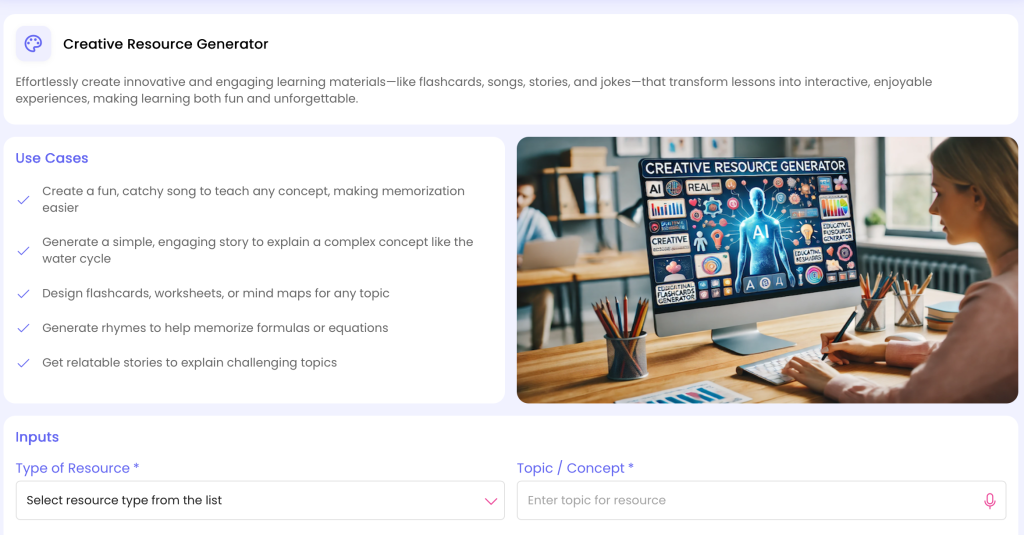
Creative Resource Generate: https://myspace.teachbetter.ai/view/resource/181a7aff-64e3-4c04-ac7d-1b8bbc9da2c4
TeachBetter.ai Chat With Documents
Chat With Documents is particularly relevant when an English teacher already has a PDF, set of notes, worksheet or other teaching material. TeachBetter.ai describes the tool as allowing users to upload documents and ask questions or obtain contextual answers, explanations and summaries from the content.
For example, a teacher working with a lengthy literature chapter could use an uploaded document as the basis for preparing revision questions, extracting key ideas or generating discussion points. The teacher can then verify the output against the original material before using it with students.
This is different from asking an AI system about a topic in general because the teacher's existing source material remains central to the workflow.
Supporting Creative Writing and Writing Instruction
Writing instruction requires students to understand structure as well as produce original work. Depending on the grade level, teachers may teach narrative writing, descriptive writing, persuasive writing, letters, reports, essays or creative responses.
AI can help teachers prepare models, prompts, planning frameworks and exercises.
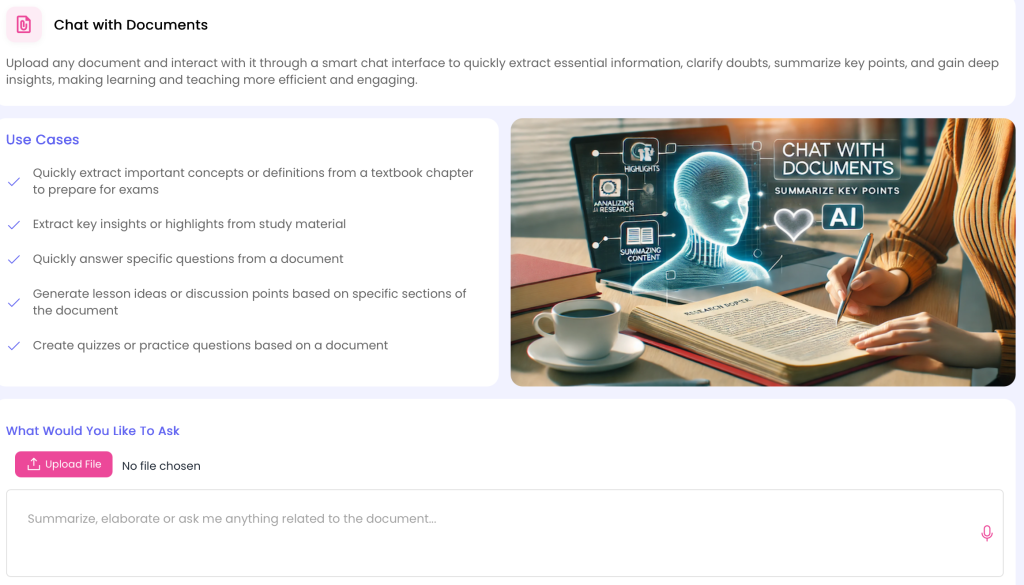
TeachBetter.ai Writing Assistant and Text Analyzer & Enhancer
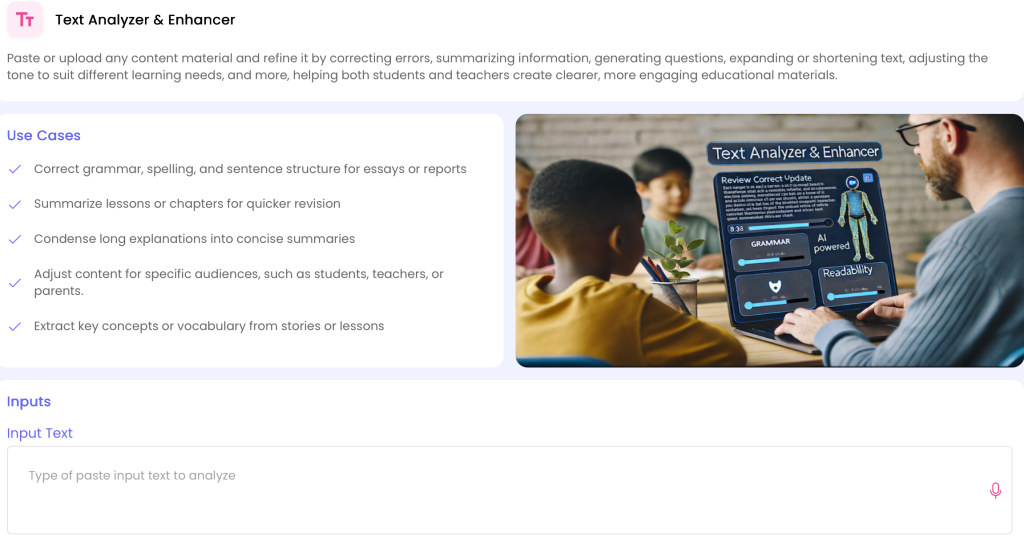
TeachBetter.ai currently provides a Writing Assistant and Text Analyzer & Enhancer as part of its teacher tool set. The platform describes Writing Assistant as supporting professional and polished written content, while Text Analyzer & Enhancer can be used to refine, summarize and improve existing content.
A Class 9 teacher teaching descriptive writing, for example, could use AI to brainstorm writing prompts and examples, then create a classroom exercise around sensory description. A teacher reviewing an existing instructional passage could use the text analysis workflow to improve clarity or adapt the language for a particular learner group.
The goal should not be to have AI write students' assignments for them. Instead, teachers can use AI to create models, prompts and feedback frameworks while students retain ownership of their writing.
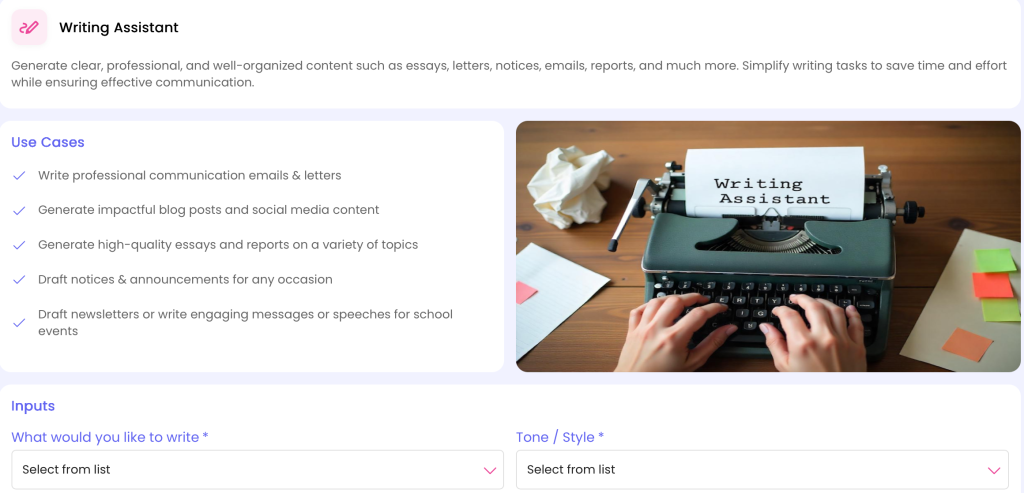
Writing Assistant: https://myspace.teachbetter.ai/view/resource/a57c449d-73bc-40a8-8aa0-c0444fe29322
Creating Better English Presentations
Presentations can help teachers introduce a topic visually and structure a lesson around key ideas. However, creating slides from scratch for every class can take significant preparation time.
TeachBetter.ai Presentation Generator
TeachBetter.ai's Presentation Generator is designed to help teachers create presentation-based learning material, with the current platform highlighting text, images and videos as part of its presentation workflow.
For a Class 8 lesson on literary devices, a teacher could prepare a presentation that introduces metaphor, simile, personification and imagery, followed by examples and student practice.
When choosing the best AI platform for English teachers, look for presentation tools that help create visually engaging lessons with examples, images and relevant learning content.
Using Videos as Part of English Lessons
Videos can be useful for language learning, pronunciation, storytelling, communication skills and contextual learning. But teachers often need to convert a video into usable classroom material.
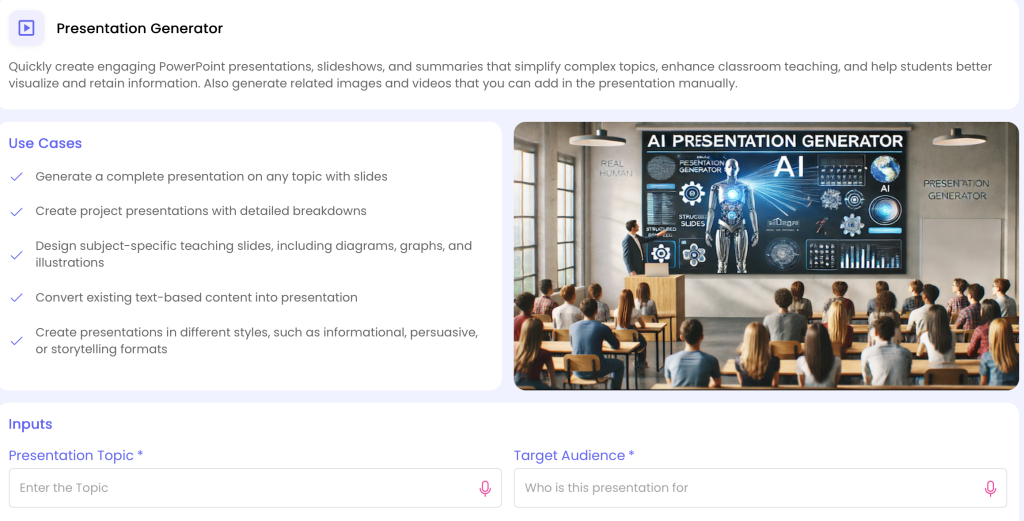
Presentation Generate: https://myspace.teachbetter.ai/view/resource/90a74a14-d4ae-4d9c-898c-1d428fc52700
TeachBetter.ai YouTube Video Analyzer
TeachBetter.ai's YouTube Video Analyzer can work with educational videos to produce structured material such as transcripts, summaries, themes and learning points.
An English teacher could select a short educational video about communication skills and use the tool to prepare notes and questions before class. The teacher could then ask students to identify the speaker's main argument, summarize the content or discuss specific vocabulary.
This makes video a more structured part of the lesson rather than simply showing a video and asking students whether they liked it.
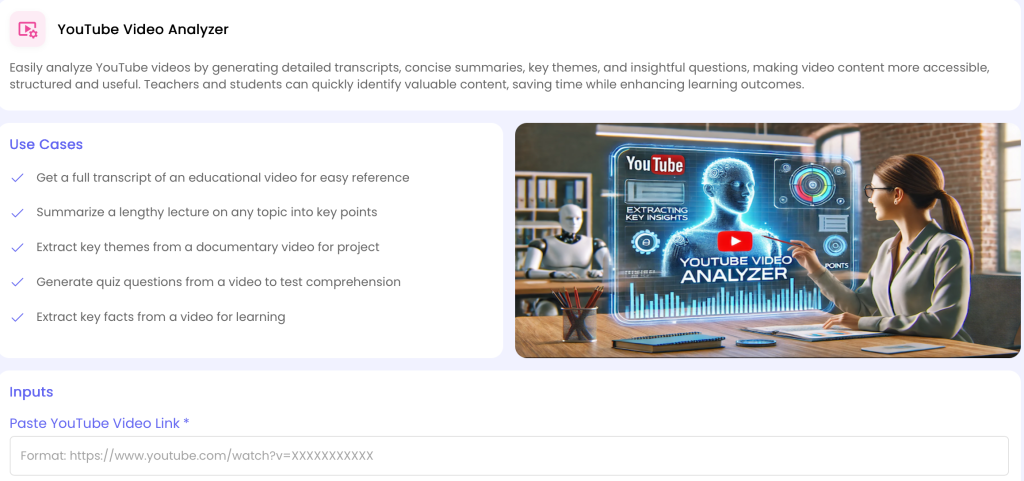
YouTube Video Analysis: https://myspace.teachbetter.ai/view/resource/eebf8c1a-a97f-4f78-9f05-e569e561010d
Creating a Connected English Teaching Workflow
The strongest use of AI is often not one individual tool. It is the ability to connect several tasks around the same learning objective.
Consider a Class 8 English teacher teaching active and passive voice.
The workflow could look like this:
Lesson Planner → Concept Explainer → Activity & Project Generator → Presentation Generator → Quiz & Worksheet Generator → PaperQR Live Quiz
The teacher can begin by structuring the lesson around the learning objective. Concept Explainer can help prepare an accessible explanation and examples. Activity & Project Generator can provide pair or group exercises where students transform sentences. Presentation Generator can create supporting visual material. Quiz & Worksheet Generator can prepare individual practice, while PaperQR Live Quiz can provide a quick classroom check at the end.
The teacher still decides what to teach, which examples are appropriate, which activity suits the class and how the assessment results should influence the next lesson. AI simply supports the preparation and resource-creation stages.
This connected workflow is one of the clearest differences between using AI as a collection of isolated prompts and using an education-focused AI platform as part of everyday teaching.
A Practical Example: One English Lesson From Planning to Assessment
Imagine a Class 9 teacher preparing a lesson on reported speech.
The teacher first identifies the objective: students should be able to convert direct speech into reported speech and understand the changes required in tense, pronouns and time expressions.
Using an AI lesson planner, the teacher can create the structure of the lesson. The teacher can then prepare a simple explanation and examples, followed by a classroom activity where students convert statements and questions into reported speech.
Next, the teacher can generate a worksheet containing a mixture of straightforward and application-based questions. A presentation can provide visual support during the explanation, while a short quiz can be used at the end of the lesson.
If the teacher conducts the quiz using PaperQR Live Quiz, the classroom can receive immediate feedback on the responses. If many students make the same error, the teacher has a clear reason to revisit that part of the lesson rather than simply moving to the next chapter.
The important point is that AI has not replaced the teacher's instructional decision-making. It has helped connect planning, resource creation and assessment around one teaching objective.
AI for Differentiated English Learning
English classrooms often contain students with different levels of reading, vocabulary and writing ability. The same worksheet may be too easy for some students and too difficult for others.
AI can help teachers create variations of learning material around the same objective. A teacher might prepare a basic vocabulary activity for students who need additional support and a contextual writing challenge for students who are ready for more advanced practice.
TeachBetter.ai's broader platform is designed around grade, subject and structured teaching inputs, while its tools cover lesson planning, concept explanation, activities, quizzes, presentations and personalized reports.
This can make differentiation more manageable because the teacher does not necessarily have to create every variation entirely from scratch.
How TeachBetter.ai Fits the Needs of English Teachers
The central value of TeachBetter.ai for an English teacher is not any single generator. It is the combination of multiple teaching workflows in one education-focused environment.
The platform currently brings together tools for lesson planning, writing, concept explanation, activity creation, quizzes and worksheets, presentations, document-based work, video analysis and student-focused learning. It also includes PaperQR Live Quiz and 100+ interactive simulations, although many of those simulations are primarily relevant to subjects beyond English.
For an English teacher, the most relevant workflow may look something like this:
| Teaching need | Relevant TeachBetter.ai capability |
| Plan a grammar or literature lesson | Lesson Planner |
| Explain a difficult concept | Concept Explainer |
| Create classroom activities | Activity & Project Generator |
| Develop stories and vocabulary resources | Creative Resource Generator |
| Create grammar practice | Quiz & Worksheet Generator |
| Prepare presentations | Presentation Generator |
| Refine existing text | Text Analyzer & Enhancer |
| Support writing preparation | Writing Assistant |
| Work with a textbook or PDF | Chat With Documents |
| Turn educational videos into resources | YouTube Video Analyzer |
| Conduct quick classroom assessment | PaperQR Live Quiz |
| Support concept practice | Concept Mastery Coach |
| Prepare student reports | Personalized Report Generator |
The advantage of having these capabilities in one platform is that teachers can move between related tasks without rebuilding their entire context in a separate tool each time.
TeachBetter.ai's current public platform also emphasizes guided inputs and structured educational outputs rather than requiring teachers to become expert prompt writers. Its Help Center describes the platform as built specifically for teachers, students, parents and schools, with structured inputs such as subject, grade, topic and learning objectives.
TeachBetter.ai vs. Starting With a General AI Chatbot
General-purpose AI tools can be useful for teachers, and they should not be dismissed simply because they are not education-specific. Their flexibility can be valuable for brainstorming, research and many other tasks.
The difference is primarily one of workflow.
With a general chatbot, a teacher may need to repeatedly specify the grade, subject, topic, learning objective, output format, difficulty level and classroom context. The teacher then has to refine the response and format it for classroom use.
An education-focused platform can organize these requirements into dedicated tools.
For example, an English teacher looking for a grammar worksheet does not necessarily need to start by writing a detailed prompt describing the grade, topic, question types and intended use. A dedicated worksheet workflow can collect the relevant information and generate the appropriate starting material.
This is especially useful for teachers who want to use AI regularly but do not want prompt engineering to become another task in their workload.
What About Accuracy and Teacher Review?
AI-generated educational material should always be reviewed before classroom use.
A grammar question can contain an ambiguity. A generated literary interpretation may oversimplify a text. A reading passage may contain factual or contextual issues. An assessment question may not accurately measure the intended learning objective.
Teacher review is therefore part of responsible AI use, not an optional final step.
For English teachers, this means checking grammar, vocabulary, reading level, factual information, literary interpretation, cultural context, question quality and age appropriateness before distributing AI-generated material.
UNESCO's guidance on generative AI in education emphasizes a human-centred approach, including data privacy, ethical considerations and appropriate pedagogical use. Its AI Competency Framework for Teachers similarly emphasizes human agency, ethics and AI pedagogy.
Can AI Replace English Teachers?
AI can automate or accelerate parts of lesson preparation, but English teaching involves much more than generating content.
Teachers understand the personalities in their classroom, notice when a student is confused, interpret classroom dynamics, encourage hesitant learners, manage discussions, select meaningful texts and decide when students need challenge or additional support.
AI can help prepare a worksheet or suggest an activity. It cannot independently understand the full human context of a classroom in the way the teacher does.
A useful model is therefore teacher + AI, rather than teacher versus AI. The teacher remains responsible for instructional decisions, while AI can support repetitive preparation and provide additional starting points for resources.
Responsible Ways to Use AI for English Teaching
Teachers can get more value from AI when they establish a clear review process.
1. Treat AI output as a starting point
Generated content should be reviewed and adapted rather than accepted automatically.
2. Check age and reading level
A grammatically correct passage may still be too complex or too simple for the intended students.
3. Check literary and factual accuracy
AI-generated explanations of literature, authors, historical context or cultural references should be verified.
4. Protect student privacy
Avoid unnecessarily entering personally identifiable student information into AI systems, particularly when generating feedback or reports.
5. Preserve student agency
Use AI to create prompts, examples and practice material without turning it into a substitute for students' own thinking and writing.
6. Use AI to support formative assessment
AI-generated questions can help identify misconceptions, but teachers should interpret the results and decide what instructional response is appropriate.
Used in this way, AI becomes a support layer around teaching rather than a replacement for the teacher.
A Simple AI Workflow English Teachers Can Start With
Teachers do not need to adopt every AI capability immediately. A practical starting workflow is to choose one recurring teaching problem and build from there.
For example:
Step 1: Plan: The Lesson Planner helps structure an upcoming lesson.
Step 2: Explain: Teachers can develop alternative explanations and examples with the Concept Explainer.
Step 3: Engage: Interactive classroom activities can be created using the Activity & Project Generator or Creative Resource Generator.
Step 4: Present: Prepare supporting visual materials with the Presentation Generator.
Step 5: Practise: Generate individual or group practice exercises using the Quiz & Worksheet Generator.
Step 6: Assess: Conduct a quick classroom assessment with PaperQR Live Quiz, where appropriate.
Step 7: Review: Finally, evaluate the results and teacher observations to identify concepts that need reinforcement in the next lesson.
This workflow illustrates an important principle: the value of AI increases when it supports a complete instructional cycle rather than producing isolated pieces of content.
Frequently Asked Questions
What is the best AI platform for English teachers?
There is no single AI platform that will be the best fit for every English teacher. The useful criteria are whether the platform supports lesson planning, grammar and concept explanation, activities, worksheets, quizzes, writing, presentations, document-based work and assessment in a workflow that fits classroom needs.
TeachBetter.ai is an education-focused platform with 20+ AI tools for teachers and schools, including Lesson Planner, Concept Explainer, Activity & Project Generator, Quiz & Worksheet Generator, Presentation Generator, Writing Assistant, Chat With Documents, YouTube Video Analyzer and PaperQR Live Quiz.
How can AI help English teachers?
AI can support lesson planning, grammar explanations, vocabulary activities, reading comprehension, writing exercises, classroom activities, presentations, worksheets, quizzes and formative assessment. It can also help teachers adapt existing material and create different versions of resources for different learners.
Can AI create English lesson plans?
Yes. AI lesson planners can generate structured lesson plans based on information such as grade, topic and learning objectives. Teachers should review and adapt the generated plan to match their curriculum, classroom context and students.
TeachBetter.ai's Lesson Planner is designed specifically for creating customized teaching plans.
Can AI create English worksheets?
Yes. AI worksheet generators can create exercises around grammar, vocabulary, reading comprehension, writing and other English topics. Teachers should review the questions for accuracy, difficulty and alignment with the lesson objective.
TeachBetter.ai's Quiz & Worksheet Generator is designed for creating tailored quizzes and worksheets.
Can AI generate English quizzes?
Yes. Teachers can use AI to generate multiple-choice, short-answer and other forms of assessment questions. The questions should be reviewed before use, particularly when they are intended for formal assessment.
TeachBetter.ai combines quiz generation with PaperQR Live Quiz, allowing teachers to conduct live classroom assessments using printed response cards without requiring student devices.
Can AI help teach grammar?
Yes. AI can help teachers prepare explanations, examples, practice exercises, error-correction activities and quizzes for grammar topics such as tenses, subject-verb agreement, active and passive voice, reported speech and parts of speech.
Can AI help with reading comprehension?
Yes. AI can help teachers prepare comprehension questions, vocabulary exercises, summaries and discussion prompts. When working with an existing document, a document-based AI tool can also help teachers interact with the material directly.
Can AI help English teachers save time?
AI can reduce repetitive preparation by providing structured starting points for lessons, worksheets, quizzes, presentations, activities and other resources. The amount of time saved will depend on the teacher's workflow and how much review and adaptation the generated material requires.
Can AI replace English teachers?
AI can support many preparation and content-creation tasks, but effective English teaching still depends on teacher judgment, classroom relationships, feedback, discussion and understanding of individual learners. AI is better viewed as a teaching support tool than as a replacement for the teacher.
Is TeachBetter.ai suitable for English teachers?
Yes. TeachBetter.ai's teacher tool set includes capabilities directly relevant to English teaching, including Lesson Planner, Concept Explainer, Activity & Project Generator, Creative Resource Generator, Quiz & Worksheet Generator, Presentation Generator, Writing Assistant, Text Analyzer & Enhancer, Chat With Documents and YouTube Video Analyzer.
Conclusion: Choosing the Right AI Platform for English Teaching
Choosing the best AI platform for English teachers means finding tools that support the complete teaching process, from lesson preparation and resource creation to assessment and student engagement.
Choosing the best AI platform for English teachers means selecting tools that simplify lesson preparation, support engaging activities and make classroom assessment easier.
For English teachers, the strongest use of AI is therefore connected to the complete teaching cycle. A lesson can begin with structured planning, move into explanation and classroom activities, continue through worksheets and practice, and finish with formative assessment. Writing and reading resources can be adapted to different learners, while existing documents and educational videos can become starting points for new classroom material.
TeachBetter.ai brings many of these workflows together in an education-focused platform. Its current teacher suite includes tools for lesson planning, concept explanation, activity creation, creative resources, quizzes and worksheets, presentations, writing, document analysis and video analysis, alongside capabilities such as PaperQR Live Quiz for real-time classroom assessment. The platform's broader approach is to reduce the need to move between separate tools and to make AI more directly usable within everyday teaching workflows.
The best AI platform for English teachers should combine practical teaching tools, flexible learning resources and assessment features to support everyday classroom needs.
The most important part of that process, however, remains the teacher. AI can provide a lesson outline, generate questions or suggest an activity, but the teacher decides what is appropriate for the class, what needs to be changed, which examples will resonate with students and how the next lesson should respond to what students have learned. Used responsibly, AI can reduce repetitive preparation while giving teachers more room for the parts of teaching that require professional judgment, creativity and human connection.
For an English teacher, getting started does not require changing the entire way of teaching. Begin with one recurring task—such as preparing grammar worksheets, planning literature lessons, creating comprehension questions or designing formative quizzes—and use AI to support that part of the workflow. As confidence grows, those individual tasks can be connected into a broader teaching process.
If you want to explore an AI platform designed around those everyday teaching needs, explore TeachBetter.ai and start using AI for teaching.

Vipin Kumar, Co-Founder, TeachBetter.ai
Vipin Kumar is building TeachBetter.ai to create intuitive AI tools that simplify teaching and enhance learning outcomes. With prior experience at global technology companies, he brings a deep understanding of scalable systems, user needs, and practical digital solutions. His mission is to make AI adoption in education easy, affordable, and truly impactful for teachers everywhere. He is committed to creating AI solutions that save time, boost creativity, and empower educators to focus on what matters most—teaching.
Read other articles authored by Vipin Kumar here.