Best AI Platform for Teachers in Philippines: Practical AI Tools for Filipino Educators
Vipin Kumar
|
 14 August, 2026
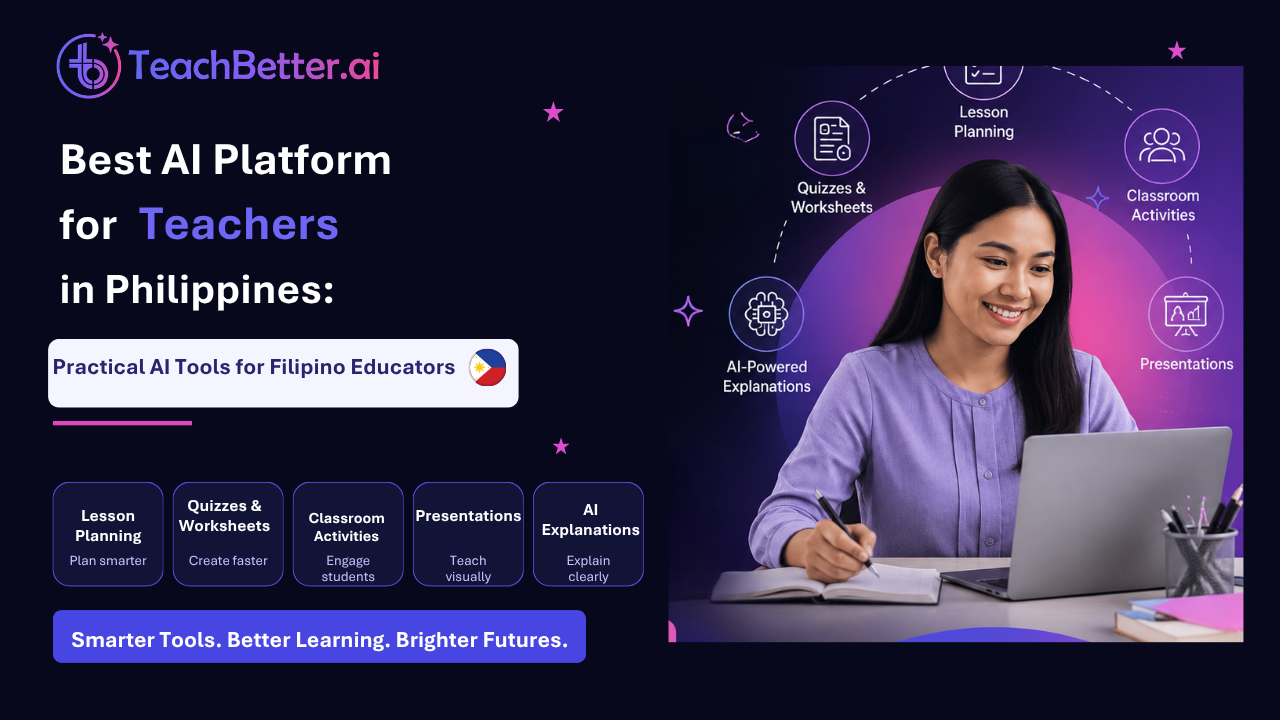
AI tools for teachers in the Philippines are becoming increasingly useful for educators who want to save time and simplify everyday teaching tasks. Teachers spend significant time preparing lesson plans, creating worksheets and quizzes, designing classroom activities, preparing presentations, explaining difficult concepts, reviewing student work, and developing learning resources.
For many teachers, the challenge is not a lack of ideas. It is time.
Teachers may know exactly what they want to teach but still spend hours turning that idea into a structured lesson, presentation, worksheet, activity, or assessment. AI can help reduce some of this repetitive preparation work.
The best AI platform for teachers in the Philippines should therefore do more than generate generic text. It should help educators with the actual tasks they perform every day and allow them to adapt the output to their subject, grade level, students, and teaching context.
For example, a Filipino teacher preparing a lesson for Baitang 9 may need a detailed lesson plan. A Grade 1 teacher may need an engaging activity for basic addition. An Araling Panlipunan teacher may need an assessment about Philippine history or legislation. An Agriculture teacher may need a presentation about agricultural equipment and productivity.
These are practical classroom situations where an education-focused AI platform can become useful.
TeachBetter.ai brings multiple AI-powered teaching tools together to help educators plan, create, teach, assess, and personalize learning.
What Can Filipino Teachers Use AI For?
AI can support teachers at almost every stage of the teaching workflow.
Instead of thinking of AI as a tool that simply “writes things,” teachers can use it as a planning and content creation assistant.
A teacher can start with a topic or learning objective and use AI to develop different resources around it. The same topic can become a lesson plan, classroom activity, presentation, worksheet, quiz, explanation, and revision material.
Some of the most useful applications include:
- Lesson planning
- Quiz and worksheet creation
- Concept explanation
- Classroom activities and projects
- Presentation creation
- Creative learning resources
- Student reports and feedback
- Video and web research
- Translation and multilingual content
- Classroom assessment
The important part is that teachers remain in control. AI can provide the first draft, ideas, structure, or variations, while the teacher decides what is appropriate for the classroom.
This makes AI particularly valuable for teachers who want to save preparation time without giving up professional judgment.
1. AI Lesson Planner for Filipino Teachers
Use TeachBetter.ai Lesson Planner to generate a structured lesson plan based on subject, topic, grade level, objectives, and requirements. A teacher may need to consider the topic, grade level, learning objectives, classroom activities, assessment methods, teaching resources, and the amount of time available for the lesson. Repeating this process across multiple subjects and classes can take considerable effort.
A teacher may need to consider the topic, grade level, learning objectives, classroom activities, assessment methods, teaching resources, and the amount of time available for the lesson. Repeating this process across multiple subjects and classes can take considerable effort.
With TeachBetter.ai's Lesson Planner, teachers can provide details such as the subject, topic, grade level, learning objectives, and lesson requirements and receive a structured lesson plan that can then be reviewed and customized.
This can be useful across different Baitang levels and subjects.
For example, a Filipino teacher can use AI to prepare a lesson around dula sa panahon ng kalayaan for Baitang 9. A Grade 7 teacher can create an Agriculture and Fishery Arts lesson, while an elementary teacher can prepare a lesson around storytelling, mathematics, or English.
Teachers can also create lessons using Filipino when appropriate, making the resulting material easier to adapt for learners who are more comfortable with Filipino.
The biggest benefit is not that AI creates a finished lesson that a teacher must use without changes. Instead, it gives the teacher a structured starting point that can be reviewed, improved, localized, and aligned with the needs of the class.
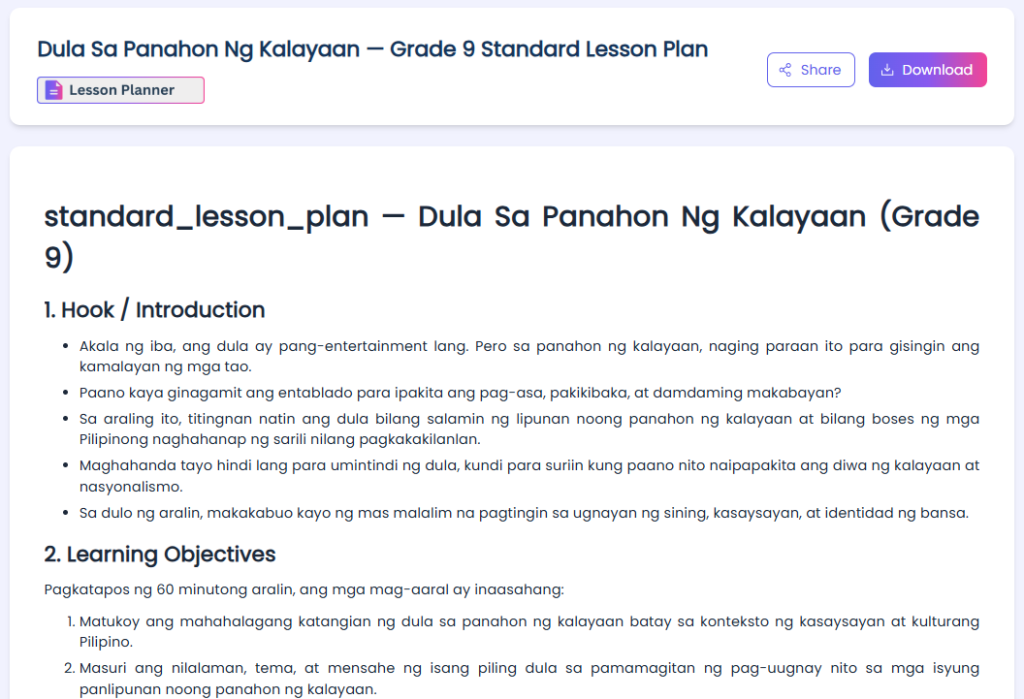
Lesson Plan: https://myspace.teachbetter.ai/view/resource/47f38130-29bc-4ab3-87fa-fa6a3fa2f27c
2. Create Quizzes and Worksheets in Minutes
Assessment is another area where teachers spend significant amounts of preparation time.
A teacher may need different questions for introducing a topic, checking understanding during a lesson, preparing students for an examination, or providing additional practice to students who need reinforcement.
TeachBetter.ai's Quiz & Worksheet Generator can help teachers create questions and practice materials based on a topic.
For example, an Araling Panlipunan teacher could create an assessment about Republic Act 7394, the Consumer Act of the Philippines. A Filipino teacher could prepare questions about Ibong Adarna. A Grade 10 teacher could create questions related to environmental protection, governance, or disaster risk reduction.
Teachers can generate:
- Multiple-choice questions
- Practice exercises
- Worksheets
- Revision questions
- Topic-based assessments
The teacher can specify the grade level and topic and then review the generated questions before using them.
This can be particularly useful when a teacher wants different versions of practice material. Instead of manually writing another set of questions, AI can provide a new starting point that the teacher can edit.
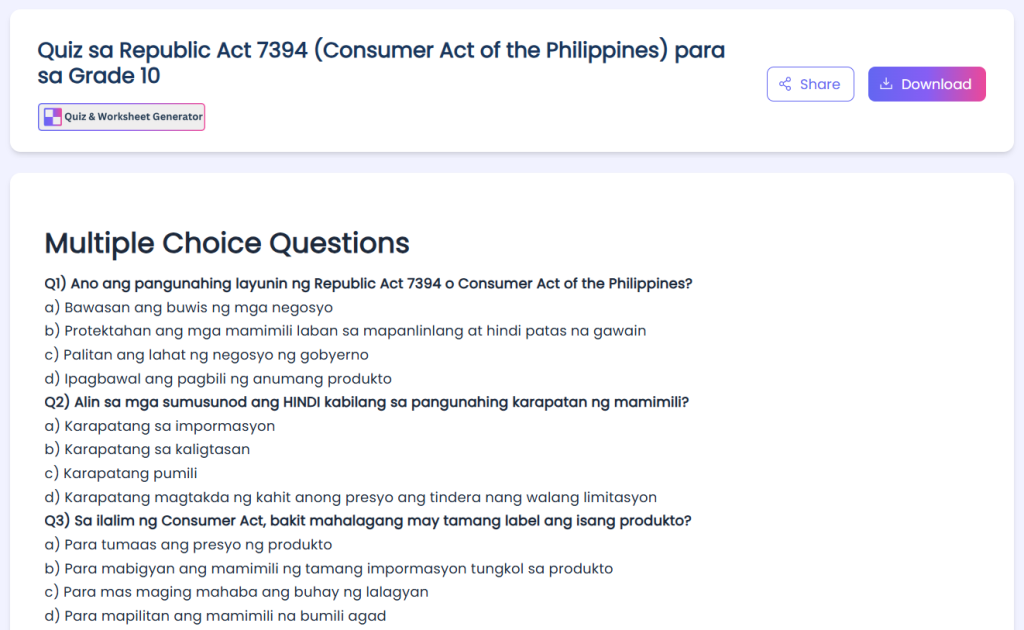
Quiz Link: https://myspace.teachbetter.ai/view/resource/1c55542e-e43d-4e35-955b-b18ee175fa9f
3. Explain Difficult Concepts in Different Ways
Not every student understands a concept after the first explanation.
Sometimes the teacher needs to explain the same concept using simpler language, a real-world example, a story, an analogy, or a step-by-step explanation.
With TeachBetter.ai's Concept Explainer, teachers can ask for a topic to be explained at an appropriate level.
For example, a teacher working with Baitang 8 students can use AI to develop a simpler explanation of a challenging concept in Edukasyon sa Pagpapakatao.
A Science teacher can ask for a complex scientific process to be explained using an everyday example. An English teacher can ask for a grammar concept to be explained with simple examples. A Mathematics teacher can create an alternative explanation for students who are struggling with a particular concept.
This can also help teachers prepare differentiated explanations for learners with different levels of prior knowledge.
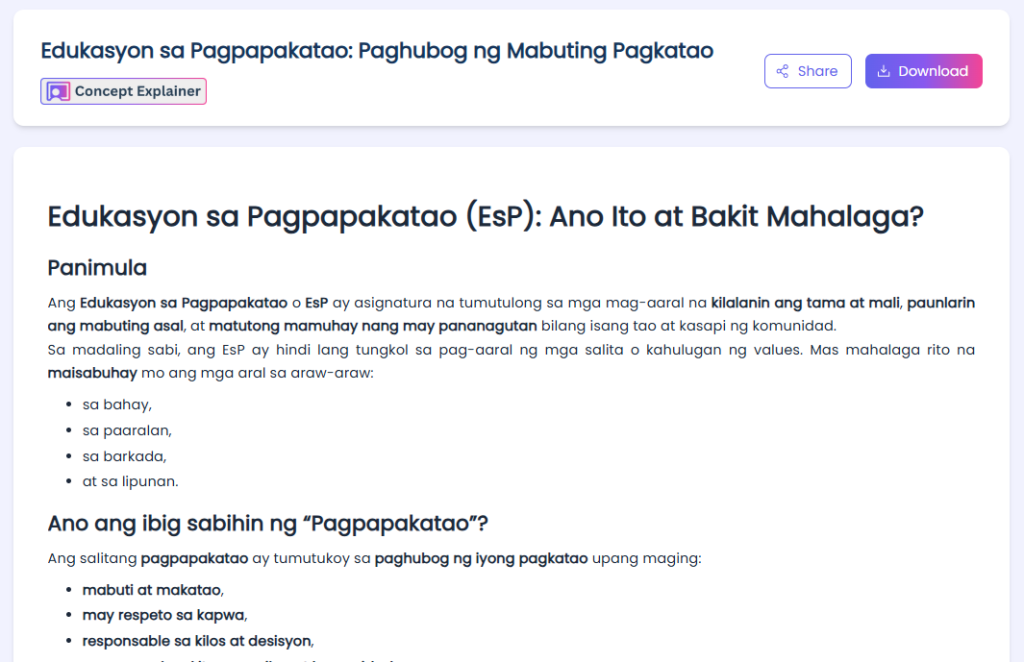
Concept Link: https://myspace.teachbetter.ai/view/resource/8b94082a-1655-4eb9-830f-dc3d608202a0
AI does not replace the teacher's explanation. Instead, it gives teachers additional ways to approach the same concept.
4. Generate Classroom Activities and Projects
A good lesson needs opportunities for students to participate, discuss, practice, and apply what they have learned.
TeachBetter.ai's Activity & Project Generator can help teachers develop classroom activities, group tasks, projects, discussions, challenges, and creative assignments.
For an elementary Mathematics class, a teacher can create an interactive activity focused on adding one-digit numbers. In an environmental lesson, the same platform can help design a community-based activity around water pollution and environmental advocacy.
For older students, teachers can generate project ideas that connect classroom concepts with real-world situations, problem-solving, and practical applications. An Agriculture teacher, for example, could develop activities around farming, agricultural productivity, or evaluating agricultural equipment.
Teachers can also ask for variations of an activity if the first idea does not fit the classroom.
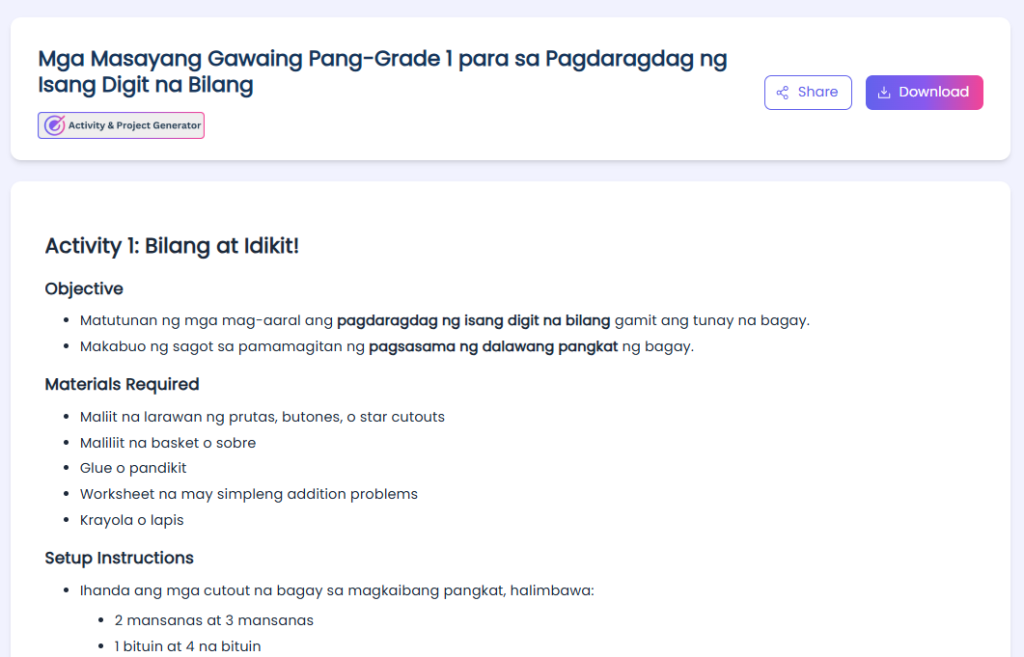
Activity Link: https://myspace.teachbetter.ai/view/resource/ba07ca65-82b1-48ce-a272-e9539fd2bb54
This allows teachers to start with a learning objective and quickly explore different ways of getting students involved rather than spending significant time brainstorming from scratch.
5. Create Presentations for Classroom Teaching
Preparing presentations from scratch can take hours, particularly when teachers need to create multiple presentations every week.
TeachBetter.ai's Presentation Generator can help teachers turn a topic into a structured presentation that they can subsequently edit and customize.
Teachers can create presentations for subjects and topics such as:
- Science
- Mathematics
- English
- Filipino
- Araling Panlipunan
- Agriculture
- Environmental studies
- Philippine culture and society
For example, a teacher could create a presentation about Contemporary Arts in the Philippines, Araling Panlipunan, environmental issues, agricultural topics, or a specific Science concept.
The teacher can then add school-specific information, examples, images, classroom activities, and other material before presenting it to students.
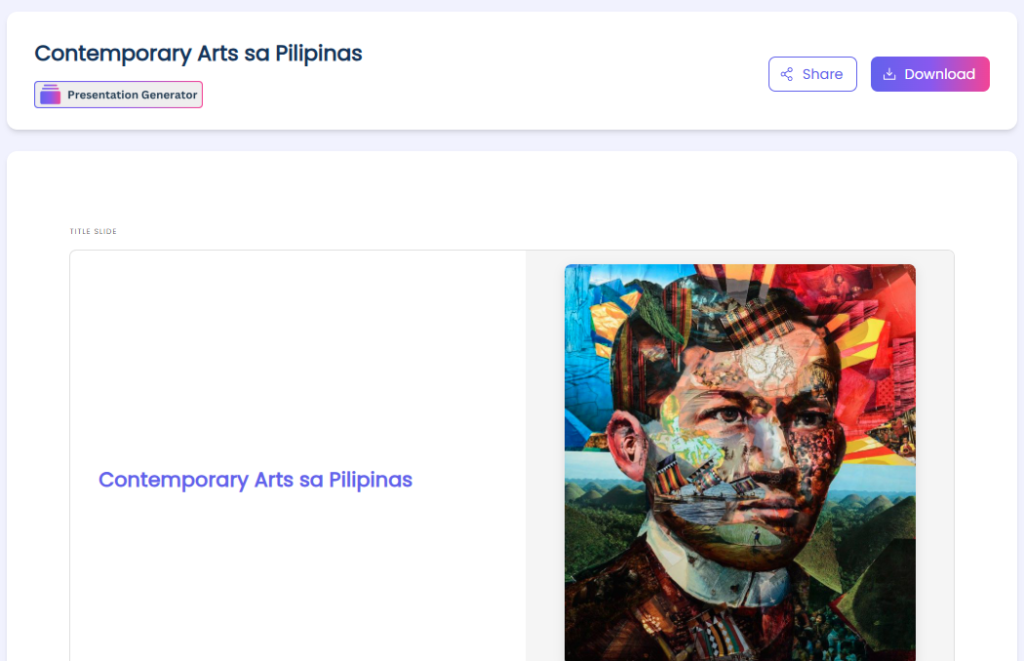
Presentation Link: https://myspace.teachbetter.ai/view/resource/3be056dc-d07b-4f64-9d8d-13ea9075627d
The value here is not simply generating slides. It is reducing the amount of time required to move from topic → structure → teaching material.
6. Create Creative Learning Resources
Sometimes teachers need a different way to introduce a topic.
TeachBetter.ai's Creative Resource Generator can help teachers develop stories, educational content, creative activities, discussion prompts, and other resources that can make lessons more engaging.
For younger learners, teachers might create stories or simple learning activities around a particular concept.
For example, a Grade 1 teacher could create an interactive discussion activity for basic addition. A Filipino teacher could develop a story-based approach to language learning. A Science teacher could turn a scientific concept into a classroom scenario or discussion activity.
For older students, teachers can create creative assignments, reflection prompts, classroom challenges, and topic-based resources.
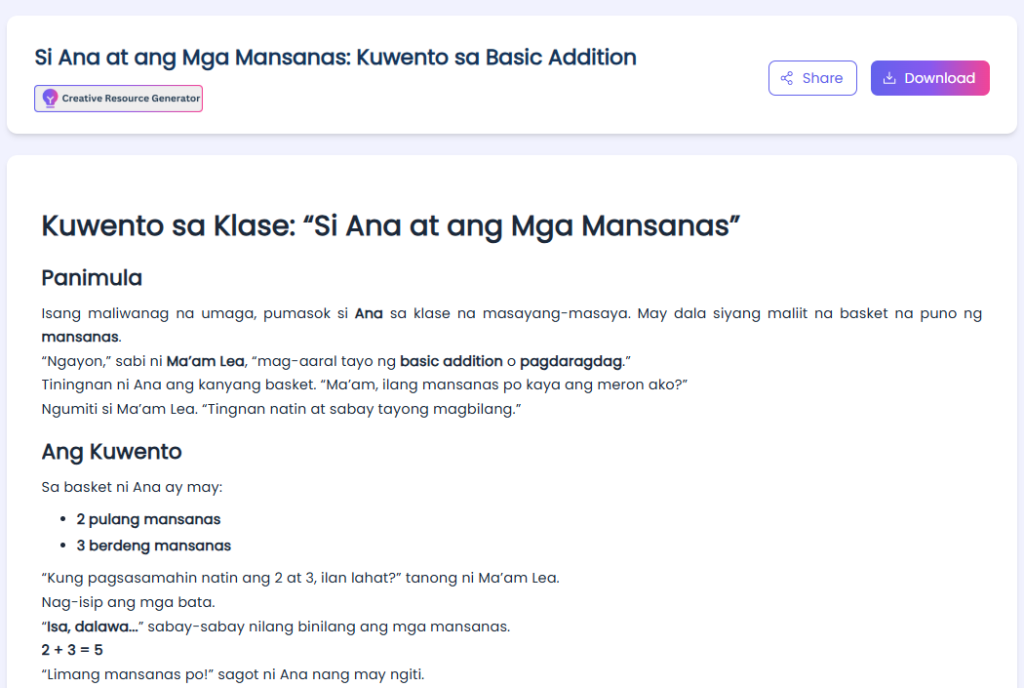
Story Link: https://myspace.teachbetter.ai/view/resource/b92ea242-846f-45c1-b749-ea2823dcf1b0
This gives teachers more options when a conventional lecture or worksheet is not enough.
7. Prepare Student Reports and Feedback
Teaching also involves considerable documentation.
Teachers may need to prepare student reports, feedback, summaries, observations, and other written communication.
TeachBetter.ai's Personalized Report Generator can help create a structured starting point based on information provided by the teacher.
For example, teachers can provide relevant observations about a student's participation, strengths, progress, and areas for improvement and use AI to organize those inputs into a clearer report.
The teacher should then review the output carefully and add their own observations before sharing it.
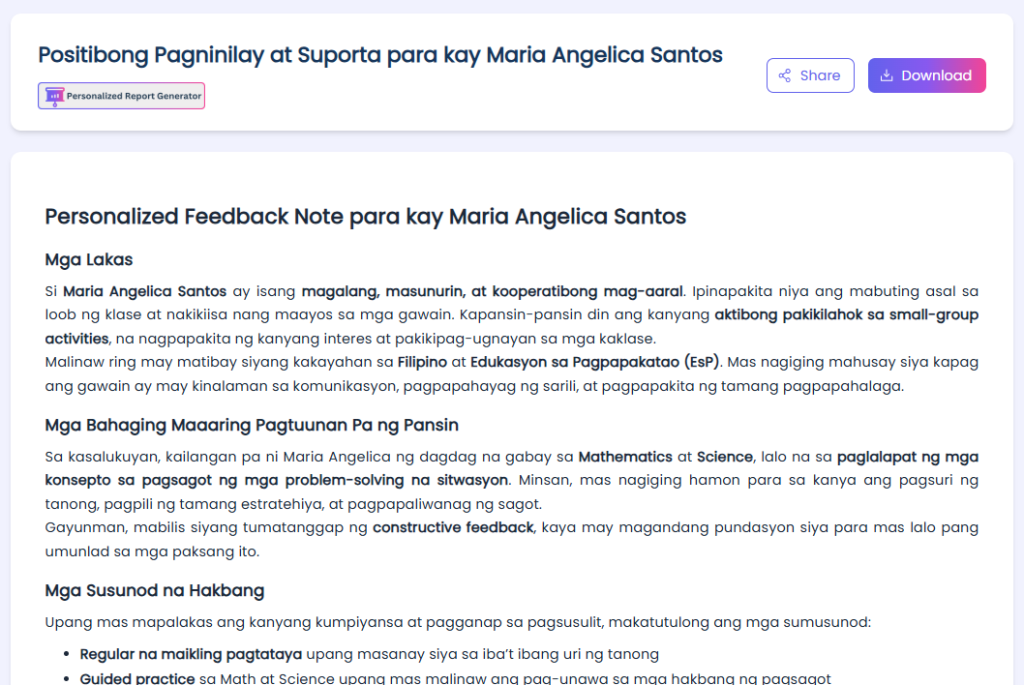
Personalised Report: https://myspace.teachbetter.ai/view/resource/a3bd0c8c-399c-4346-be72-56300f5e6323
This can be particularly helpful when teachers need to prepare multiple reports and want to reduce repetitive writing while retaining a personalized approach.
8. Work With Your Existing Teaching Materials
Teachers often already have useful resources stored as PDFs, documents, lesson notes, presentations, and other files.
Instead of asking AI to create everything from scratch, TeachBetter.ai's Chat With Documents allows teachers to interact with their own materials.
A teacher can use this type of workflow to understand a document, ask questions about its contents, summarize material, or use an existing resource as the starting point for further teaching work.
For example, a teacher could upload a teaching document and ask questions about a particular section rather than manually searching through the entire document.
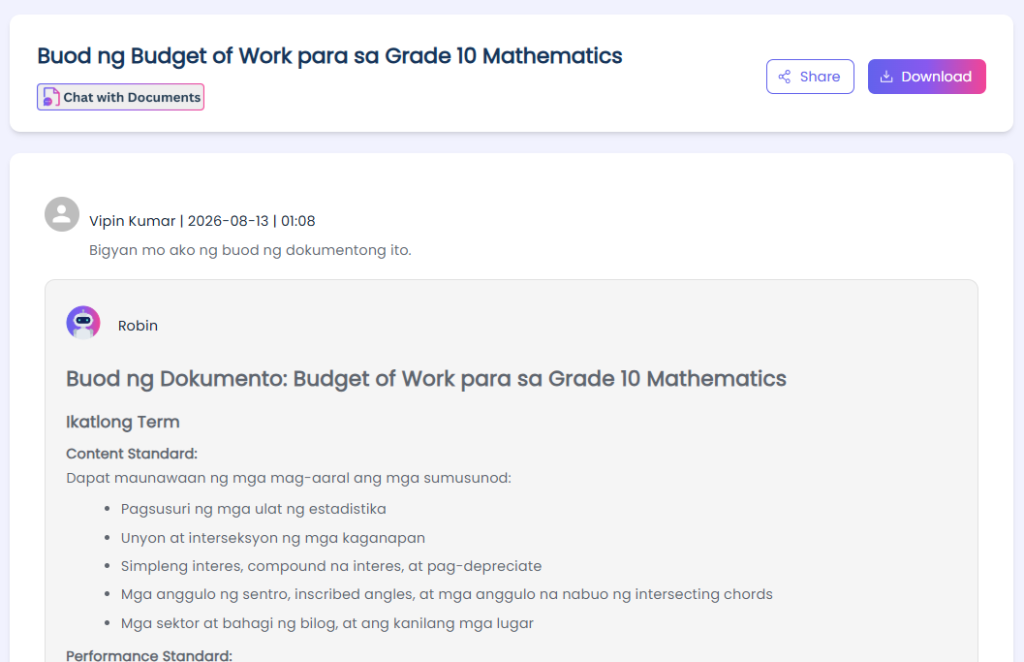
Chat with Documents Link: https://myspace.teachbetter.ai/view/resource/e5ebbee7-250f-4aa0-863e-2c23f734d48a
This can be particularly useful when teachers have accumulated years of teaching resources and want to make them easier to search, understand, and reuse.
9. Use AI With Educational Videos and Online Research
Teachers frequently use videos and online resources to supplement their lessons.
TeachBetter.ai's YouTube Video Analyzer can help teachers work with educational videos, while the Web Search Assistant can support research and information gathering.
A teacher might research a topic, analyze an educational video, and then turn the information into a lesson activity, discussion, presentation, or assessment.
For example, before showing a video to students, a teacher can analyze its content and prepare questions or discussion points around it.
Similarly, a teacher researching a new topic can use web search to gather information before developing classroom materials.
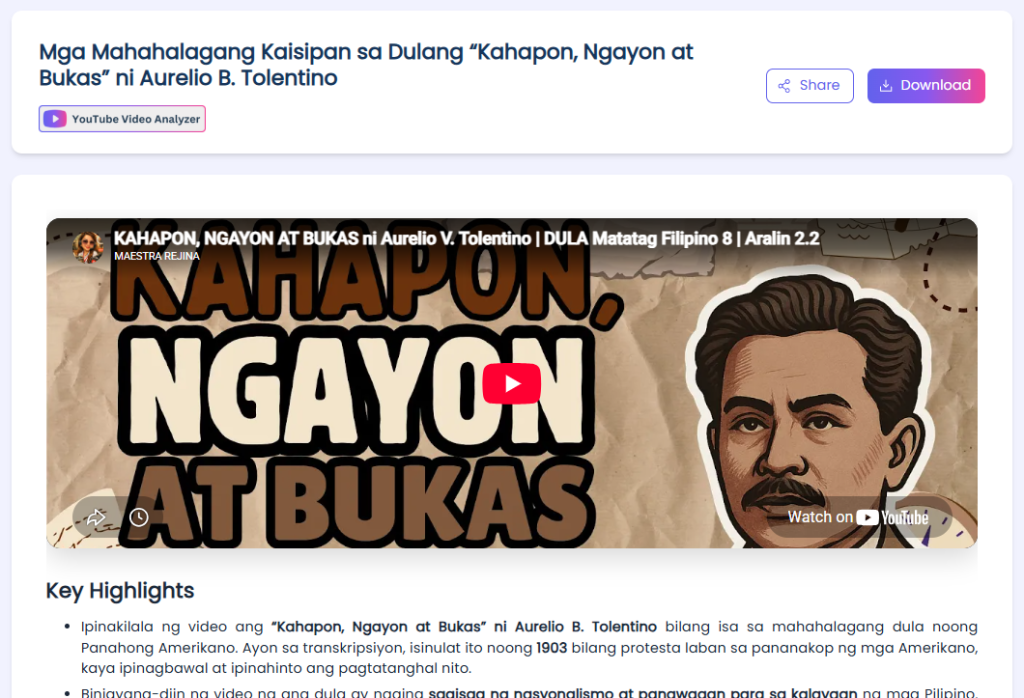
Youtube Video Analyser Link: https://myspace.teachbetter.ai/view/resource/4427438e-dd88-4bc8-8876-a359ca1a6c1a
This can reduce the time spent moving between online research and classroom preparation.
10. Use PaperQR Live Quiz for Real-Time Classroom Assessment
Assessment does not always have to mean students sitting individually in front of a computer.
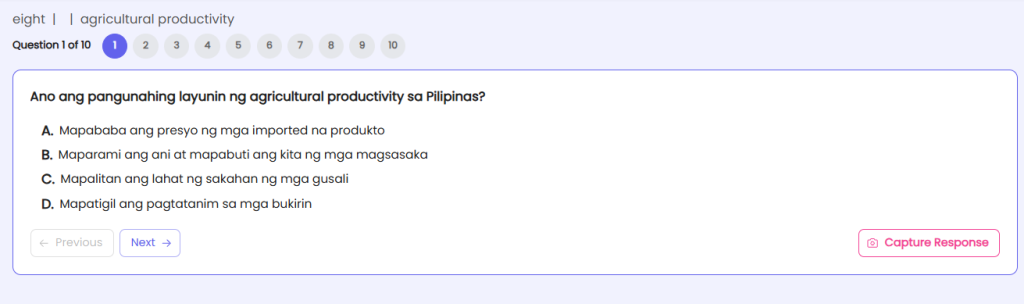
TeachBetter.ai's PaperQR Live Quiz allows teachers to conduct real-time classroom quizzes using printed PaperQR cards.
Teachers can create a class, add students, assign PaperQR cards, create a quiz, scan student responses using a camera, and view results.
This can be useful for quick formative assessment, revision, classroom competitions, and checking student understanding during or after a lesson.
For example, teachers can create assessments around topics such as agricultural productivity in the Philippines, Science, Mathematics, Filipino, Araling Panlipunan, or other subjects.
The approach is especially useful when students may not have individual devices available during classroom assessments.
How Filipino Teachers Can Use TeachBetter.ai Across a Complete Lesson
The real value of having multiple AI teaching tools is that teachers can use them together rather than treating each tool as an isolated feature.
Imagine a teacher preparing a lesson on a new topic. The teacher could begin with Lesson Planner to structure the lesson. They could then use Concept Explainer to develop alternative explanations for difficult concepts.
Next, they could use Activity & Project Generator to create a student activity and Presentation Generator to prepare classroom slides.
After teaching the lesson, the teacher could use Quiz & Worksheet Generator to prepare an assessment and PaperQR Live Quiz to conduct a quick classroom check.
This creates a simple workflow:
Plan → Explain → Create → Present → Assess → Review
The teacher remains at the centre of the process, while AI helps reduce repetitive preparation.
TeachBetter.ai vs. a Generic AI Chatbot
A general-purpose AI chatbot can also help teachers create lesson plans, questions, explanations, activities, and presentations.
The difference is that TeachBetter.ai organizes these capabilities around education-specific workflows.
| Teacher Need | Traditional Approach | With TeachBetter.ai |
| Lesson planning | Start from a blank document | Use the Lesson Planner |
| Quiz creation | Write questions manually | Generate and edit questions |
| Activities | Brainstorm ideas | Generate activities and projects |
| Presentations | Build slides manually | Generate a presentation structure |
| Concept explanation | Prepare different explanations | Generate alternative explanations |
| Documents | Read and process manually | Chat with teaching materials |
| Classroom assessment | Prepare manually | Use PaperQR Live Quiz |
The advantage is convenience: teachers can access multiple teaching workflows within one education-focused platform rather than building their own collection of separate AI tools.
Responsible Use of AI in Philippine Schools
AI can make teaching preparation faster, but teachers should always apply professional judgment. AI-generated content should not automatically be treated as correct or classroom-ready. Before using AI-generated material, teachers should:
- Verify important facts.
- Review questions and answers.
- Check content for age appropriateness.
- Avoid sharing unnecessary sensitive student information.
- Check examples for cultural and local relevance.
- Edit AI-generated content to suit the class.
- Make sure assessments actually measure the intended learning objective.
UNESCO's AI Competency Framework for Teachers emphasizes human-centred thinking, ethics, AI foundations, AI pedagogy, and professional learning.
The goal should therefore be AI-assisted teaching, not AI-replaced teaching.
The teacher's experience, knowledge of students, understanding of the classroom, and professional judgment remain essential.
Best AI Tools for Teachers in the Philippines
| Teaching Task | TeachBetter.ai Tool |
| Lesson planning | Lesson Planner |
| Quizzes and worksheets | Quiz & Worksheet Generator |
| Concept explanations | Concept Explainer |
| Classroom activities | Activity & Project Generator |
| Presentations | Presentation Generator |
| Creative learning resources | Creative Resource Generator |
| Student reports | Personalized Report Generator |
| Existing teaching materials | Chat With Documents |
| Video learning | YouTube Video Analyzer |
| Online research | Web Search Assistant |
| Translation | Text Translator |
| Real-time assessment | PaperQR Live Quiz |
Frequently Asked Questions
What is the best AI platform for teachers in the Philippines?
The best platform depends on what a teacher needs. For educators looking for multiple teaching-focused AI tools in one place, TeachBetter.ai provides workflows for lesson planning, assessments, activities, presentations, explanations, reports, documents, research, and more.
What are the best AI tools for teachers in the Philippines?
Useful categories include AI lesson planners, quiz and worksheet generators, activity generators, presentation generators, concept explainers, classroom assessment tools, document assistants, and research tools.
Can Filipino teachers use AI to create lesson plans?
Yes. Teachers can use AI to create lesson-plan drafts for different Baitang levels, subjects, topics, and learning objectives, and then customize them for their classroom.
Can AI create Filipino learning materials?
Yes. Teachers can use AI to create Filipino-language lessons, assessments, activities, stories, explanations, and other educational resources.
Can AI help with Araling Panlipunan?
Yes. Teachers can create assessments, presentations, activities, and explanations around Philippine history, government, environment, culture, laws, and other Araling Panlipunan topics.
Can AI create worksheets and quizzes?
Yes. AI can generate different types of questions and practice materials, which teachers can review and customize before giving them to students.
Can AI replace teachers?
AI is best used as a teaching assistant. Teachers remain essential for instructional judgment, classroom management, student relationships, contextual understanding, and ensuring that learning materials are appropriate.
Is TeachBetter.ai only useful for lesson planning?
No. TeachBetter.ai supports multiple teaching workflows, from lesson planning and content creation to assessment, presentations, student reports, document interaction, research, translation, and classroom quizzes.
Conclusion
For Filipino teachers, AI becomes most useful when it solves real teaching problems.
Whether a teacher is preparing a Filipino lesson for Baitang 9, creating an Araling Panlipunan assessment, developing a Grade 1 mathematics activity, preparing a Science presentation, creating a worksheet, explaining a difficult concept, working with existing teaching materials, or conducting a quick classroom quiz, AI can reduce the time required to get started.
The key is not to use AI simply because it is available. The goal is to use it where it can genuinely reduce repetitive work, provide useful ideas, and give teachers more time to focus on their students.
TeachBetter.ai brings these different workflows together in one education-focused platform.
Simplify teaching. Amplify learning.
If you are exploring AI tools for teachers in the Philippines, explore TeachBetter.ai and see how AI can fit into your everyday teaching workflow.

Vipin Kumar, Co-Founder, TeachBetter.ai
Vipin Kumar is building TeachBetter.ai to create intuitive AI tools that simplify teaching and enhance learning outcomes. With prior experience at global technology companies, he brings a deep understanding of scalable systems, user needs, and practical digital solutions. His mission is to make AI adoption in education easy, affordable, and truly impactful for teachers everywhere. He is committed to creating AI solutions that save time, boost creativity, and empower educators to focus on what matters most—teaching.
Read other articles authored by Vipin Kumar here.