Interactive Simulations in Education: When Students Can Test the Idea, Learning Changes
Binit Agarwalla
|
 18 November, 2026
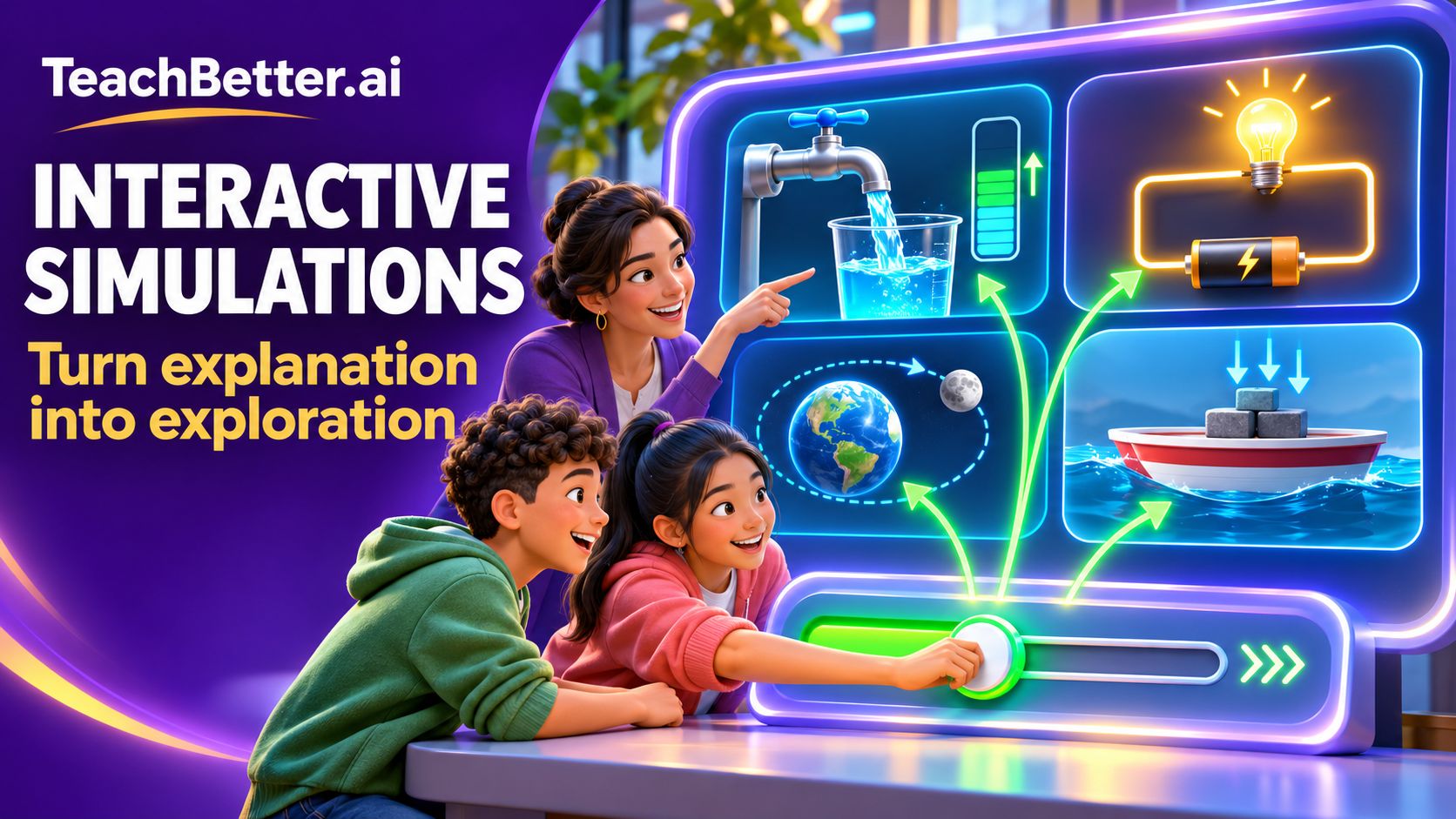
A student may remember that a wider boat can carry a greater load. But what happens when the student can reshape the boat, add weights and watch the water rise towards its rim?
A student may memorise that the Earth’s rotation causes day and night. But what changes when the student can move through a day, observe the illuminated half of the Earth and connect that motion with sunrise, noon and sunset?
A student may learn that training data affects an artificial intelligence system. But how much more meaningful does that idea become when the student trains a simple classifier, gives it an unseen object and examines why it made a particular prediction?
This is the difference between receiving an explanation and investigating a concept.
With more than 250 curriculum-aligned interactive simulations, TeachBetter.ai gives teachers opportunities to turn abstract ideas into experiences students can manipulate, observe and discuss. Students can change variables, test predictions, compare conditions and examine the evidence produced by their decisions.
The objective is not to replace the teacher or make every lesson screen-based. It is to give teachers another powerful way to make thinking visible—and give students a meaningful role in building their own understanding.
From “Listen and Remember” to “Predict and Test”
In a conventional explanation, the intellectual journey has often been completed before the student enters it. The teacher presents the concept, demonstrates the relationship and explains the result. Students are then expected to remember and reproduce that explanation.
Interactive simulations make a different sequence possible.
Instead of beginning with the answer, the teacher can begin with a question:
- What do you think will happen?
- Which factor is responsible for the change?
- Can you create the same outcome in another way?
- What would you change to solve this problem?
- Does the relationship continue under every condition?
Students must use what they already know to make a prediction. They then change a condition, observe the result and compare the evidence with their initial thinking.
A wrong prediction is no longer simply a mistake to be corrected. It becomes the starting point of an investigation.
This is one of the most valuable roles of interactive simulations in education. They make it possible for students to encounter a result, question their assumptions and test a revised explanation—all within the same learning experience.
Why Interactive Simulations Can Deepen Understanding
The value of a simulation lies in what it allows students to think about, not simply what it allows them to click.
Well-designed educational simulations can strengthen learning in several connected ways.
They make cause and effect observable
Many concepts depend on relationships between variables. When one condition changes, another quantity, pattern or behaviour responds.
Students may be able to repeat the statement that increasing voltage affects a circuit, unequal heating contributes to air movement or the shape of a hull influences how much water it displaces. A simulation allows them to examine these relationships more directly.
They can change the voltage, temperature difference, shape, load or another relevant condition and observe the resulting change. The relationship is no longer limited to a sentence in a textbook; it becomes something students can investigate.
They reveal processes that are difficult to see
Some important processes cannot be observed easily in a classroom.
Students cannot watch the Earth complete a year-long revolution during one lesson. They cannot directly see electrical energy being transferred through a circuit. Pressure changes within the chambers of the heart are not visible from the outside. Monsoon circulation involves interactions across enormous geographical areas.
Simulations can represent these processes through motion, diagrams, measurements, colour, arrows and changing states. They make the invisible, very large, very small, very fast or very slow easier to examine.
They let students compare conditions
A single example can show what happened in one situation. Understanding grows when students can compare multiple situations.
What happens when the boat becomes wider but the amount of clay remains the same? How does a series circuit behave differently from a parallel circuit? What changes between daytime and night-time coastal circulation? What happens to the classifier when it uses a different feature?
The ability to reset, modify and repeat an investigation makes comparison part of the learning process.
They create a safe space for productive failure
Students often hesitate to answer when they fear that an incorrect response will be treated as failure. A simulation can create a lower-risk environment for testing an uncertain idea.
Students can try a design, inspect the outcome, modify it and try again. The unsuccessful attempt provides information. It tells them which condition did not work and helps them decide what to change next.
This is particularly valuable in design challenges, mathematical investigations and scientific inquiry, where understanding frequently develops through refinement rather than through an immediate correct answer.
They give classroom discussion a shared source of evidence
Discussion becomes more meaningful when students are responding to something they have observed together.
Instead of asking only, “Who knows the answer?”, a teacher can ask:
- Why did the outcome change?
- What evidence supports that explanation?
- Which variable had the greatest effect?
- Why did two groups obtain different results?
- What should we test next?
The simulation provides a common experience. The teacher then helps students convert that experience into language, reasoning and conceptual understanding.
A Simulation Is Not Just an Animation
Animations and simulations can both support teaching, but they do not play the same role.
An animation generally follows a fixed sequence. Students watch a process that has already been determined by its creator. It can be very effective for showing movement, sequence or change over time.
An interactive simulation gives the learner influence over the experience. The student can change a condition, choose a setup, test an input or make a decision. The system then responds to that action.
This difference is important because visible activity is not automatically intellectual activity. A student may click through an interactive screen without thinking deeply about the concept.
For a simulation to become a learning experience, the interaction needs a purpose. Students should know what they are trying to find out, which evidence they need to observe and how they will explain the result.
The teacher therefore remains central. TeachBetter.ai provides the interactive environment, while the teacher frames the question, guides attention, challenges misconceptions and helps students connect their observations with the formal concept.
What Makes the TeachBetter.ai Simulation Library Different?
TeachBetter.ai brings more than 250 curriculum-aligned simulations into a broader teaching and learning platform.
The library spans subjects and age groups across K–12 education. It includes experiences in mathematics, science, geography, economics, computer science and artificial intelligence. Students can investigate familiar everyday questions as well as concepts that are difficult to reproduce through ordinary classroom demonstrations.
The simulations support different forms of exploration:
- Changing numerical or physical variables
- Constructing and modifying a system
- Comparing alternative arrangements
- Tracing a sequence or process
- Solving an interactive challenge
- Testing whether a model fits the evidence
- Making decisions under constraints
- Examining the consequences of different choices
This breadth matters because inquiry is not limited to science laboratories. A student can investigate the geometry behind Pythagoras, the resource decisions behind opportunity cost, the data choices behind an AI prediction or the geographical conditions behind seasonal rainfall.
TeachBetter.ai allows teachers to bring this investigative approach into multiple subjects without having to create every interactive model themselves.
A Powerful Learning Cycle: Predict, Change, Observe, Explain
A useful simulation lesson can be built around six connected stages.
1. Encounter the problem: Begin with a situation or question rather than a complete explanation. The problem should be understandable but should also contain something worth investigating.
For example: “The amount of clay remains the same. Can changing only its shape make it float and carry a load?”
2. Commit to a prediction: Ask students to record or discuss what they expect to happen. A prediction gives the investigation direction and reveals existing understanding.
Students should also explain the reason behind their prediction. This allows the teacher to identify whether an incorrect answer comes from a misconception, incomplete information or simple uncertainty.
3. Change one meaningful condition: Students use the simulation to modify the system. Depending on the concept, they might adjust a dimension, alter a connection, change an environmental factor, select a feature or move through a stage of a process.
When appropriate, changing one variable at a time helps students identify which factor produced the outcome.
4. Observe carefully: Students should look beyond whether the result was expected. They can observe movement, measurements, patterns, direction, visual indicators and differences between trials.
Questions such as “What exactly changed?” and “What remained unchanged?” help students focus on evidence.
5. Build an explanation: Students compare the evidence with their prediction and use the relevant concept to explain the outcome.
This stage converts interaction into learning. Without explanation, a simulation can remain an interesting experience. With explanation, it becomes a tool for developing conceptual understanding.
6. Test the explanation again: Students change another condition or apply their explanation to a new case. If the explanation continues to account for the evidence, their confidence in it grows. If it does not, they must refine their thinking.
TeachBetter.ai simulations make this cycle repeatable. Students can investigate, reconsider and test again without treating the first attempt as the end of the learning process.
Eight TeachBetter.ai Simulations That Can Transform a Classroom Conversation
The following examples have been selected because they address ideas that are widely relatable, support meaningful investigation and provide visually strong material for a blog page. Together, they demonstrate the breadth of interactive learning available through TeachBetter.ai.
1. Every Drop: See How Everyday Water Choices Add Up
Water conservation is familiar to students, but statements such as “save water” can remain too general to influence understanding or behaviour.
The Every Drop simulation converts everyday water use into quantities students can examine. They can explore the effect of tap use over time, investigate how a small leak accumulates and compare the impact of repairing a leak or reusing water for an appropriate purpose.
The educational value comes from connecting an ordinary action with its cumulative consequence. Students can see that a small amount repeated over time can create a substantial demand on a limited water supply.
A teacher could begin with the question: “Which makes a greater difference—using a tap for less time or repairing a small continuous leak?” Students can predict, investigate and use the resulting quantities to defend their answer.
This simulation can support science, environmental education, sustainability, mathematics and discussions about responsible household choices.
Every drop: household water budget
2. Build a Boat That Floats: Turn Buoyancy into a Design Challenge
A solid piece of clay sinks. The same clay, reshaped into a hollow boat, may float. The mass has not changed, so what has?
The Build a Boat That Floats simulation turns this question into an investigation. Students can compare solid clay with a hollow hull, change the width and rim height, add cargo and observe how deeply the boat sits in the water.
The simulation preserves an important condition: the clay remains the same. This directs attention towards shape, displaced water and the volume enclosed by the hull.
Students can then take on a practical challenge: carry a specified load without allowing the water to reach the rim. Solving it requires more than remembering the word “buoyancy.” Students must apply the relationship between shape, displacement, load and flooding.
This is an excellent example of how a simulation can bring together scientific understanding, design thinking and iterative problem-solving.
3. Earth, Sun and Moon: Connect Four Ideas Within One Dynamic System
Day and night, Moon phases, seasons and eclipses are often taught as separate topics. Students may remember individual facts without recognising that all four depend on light, position and motion.
The Earth, Sun and Moon space lab brings these relationships together. Students can move through a day, a month and a year while examining how changing positions influence what an observer sees.
They can investigate how Earth’s rotation produces day and night, why the illuminated portion of the Moon appears to change, how Earth’s axial tilt contributes to seasons and why an eclipse does not occur at every new or full Moon.
This is especially valuable for addressing common misconceptions. Moon phases are not normally caused by Earth’s shadow, seasons are not simply produced by changing Earth–Sun distance and a new Moon does not automatically create a solar eclipse.
By moving between the connected systems, students can replace isolated facts with a more coherent model.
4. DC Circuit Construction Lab: Let Students Build the Path
A circuit diagram can show the symbols for a battery, switch and lamp. The DC Circuit Construction Lab allows students to examine how those components work as a connected system.
Students can build a complete path, open and close a switch and compare single-lamp, series and parallel circuits. They can observe how different arrangements affect the behaviour of the circuit and, at appropriate learning levels, investigate voltage and other electrical evidence.
The simulation is particularly useful for surfacing misconceptions. Some students may expect a lamp to work when only one terminal is connected. Others may assume series and parallel arrangements will produce the same result.
Instead of correcting these ideas immediately, the teacher can invite students to construct each setup and use the evidence to explain what happened.
The result is more than a digital circuit diagram. It becomes a laboratory for reasoning about complete paths, energy transfer and circuit arrangements.
5. Cardiac Cycle and Circulation: Make an Invisible Rhythm Visible
Students know that the heart pumps blood, but that sentence hides a complex sequence of pressure changes, valve movements and connected circulation routes.
The Cardiac Cycle and Circulation simulation helps students follow this sequence. They can inspect different phases of the cardiac cycle, observe when valves open or close, trace the route of blood and compare pulmonary and systemic circulation.
The simulation makes it easier to understand the heart as two coordinated pumps working in series. It also helps students connect the structure of the chambers and valves with their functions.
Rather than memorising a route as a sequence of labels, students can trace how blood moves from the body to the heart, towards the lungs, back to the heart and then around the body.
This visual and temporal representation can make one of biology’s most important systems more understandable and memorable.
6. Pythagoras by Rearrangement: See Why the Relationship Works
Students frequently encounter the Pythagorean relationship as a formula to remember:
a² + b² = c²
The Pythagoras by Rearrangement simulation changes the focus from applying the formula to understanding why it works.
Students can move the same four right-angled triangles between different arrangements and compare the areas left inside them. The rearrangement reveals why the two squares formed on the shorter sides have the same combined area as the square formed on the hypotenuse.
Students can also examine why the right-angle condition matters. Changing the corner away from 90 degrees helps demonstrate that the familiar relationship should not be applied indiscriminately to every triangle.
This experience turns a symbolic statement into visual area evidence. It is particularly useful for students who can perform the calculation but do not yet understand the geometry behind it.
7. Heating, Winds and Monsoon Explorer: Investigate a System, Not Just a Direction
Students may be asked to remember the direction of monsoon winds, but the direction alone does not explain the system.
The Heating, Winds and Monsoon Explorer connects unequal heating, pressure differences, moisture availability, circulation and terrain. Students can compare a local coastal breeze with a larger seasonal circulation and examine why wind alone is not enough to produce rainfall.
They can investigate daytime and night-time coastal conditions, explore seasonal patterns and observe what changes when moisture or terrain effects are modified.
This enables teachers to move beyond a simplified statement such as “winds blow from high pressure to low pressure.” Students can examine how several conditions interact and why rainfall patterns depend on more than one variable.
The simulation supports systems thinking: understanding how a result emerges from the relationship between multiple components rather than from a single isolated cause.
8. Teach a Simple Classifier: Look Inside an AI Prediction
Artificial intelligence is becoming part of students’ everyday lives, but its output can appear mysterious. The Teach a Simple Classifier simulation helps make one part of that process more transparent.
Students work with labelled examples and numerical features before presenting the classifier with an unseen object. They can observe how the system compares the new object with its training examples and uses the selected features to produce a prediction.
Changing the features can change the output. Using incomplete or unhelpful information can reduce the quality of the prediction. The activity helps students understand that an AI system does not “know” an object in the same way a person does. It processes the data and features available to it.
The simulation can lead naturally into conversations about training data, feature selection, errors, bias and the need for human judgement. It makes AI literacy concrete without requiring students to begin with advanced programming.
How to Build a Strong Simulation-Led Lesson
Opening a simulation is not the lesson. The learning comes from the sequence of thinking that the teacher builds around it.
A strong simulation-led lesson can be organised into five phases.
Phase 1: Create a reason to investigate
Begin with a question, contradiction or challenge that students cannot resolve through immediate recall.
For the floating-boat simulation, students might see a solid piece of clay sink and then be asked whether the same clay could be made to float. For Pythagoras, they might be shown two arrangements made from the same triangles and asked to explain why the remaining areas are equal.
The question should create intellectual curiosity, not merely announce the topic.
Phase 2: Reveal students’ initial thinking
Ask students to predict individually before hearing the opinions of the whole class. This prevents the fastest answer from becoming everyone’s answer.
Students can record a sentence, choose between alternatives, draw the expected outcome or explain their reasoning to a partner. Teachers can use these responses to identify misconceptions that the investigation should address.
Phase 3: Investigate with control
Students should understand which variable they are changing and which conditions are being kept constant.
Random exploration may generate excitement, but systematic exploration produces evidence. If several variables change simultaneously, students may struggle to identify the cause of the outcome.
The teacher can allow an initial period of free exploration and then introduce a more focused challenge.
Phase 4: Pause for interpretation
Do not wait until the end of the simulation to ask students what they have learned. Pause after an important change and ask them to describe the evidence.
Students may notice the correct result but explain it incorrectly. These pauses allow the teacher to separate observation from interpretation and address the reasoning while the experience is still visible.
Phase 5: Transfer the idea
Finish with a situation that is related but not identical to the simulation.
After investigating a clay boat, students might explain why a large steel ship can float. After exploring a parallel circuit, they might reason about why household devices are not normally connected in a single series chain.
Transfer questions reveal whether students have understood the relationship or merely remembered what happened in one particular setup.
Questions That Move Students Beyond Clicking
The most productive simulation questions are not instructions such as “move the slider” or “press play.” They ask students to use the interaction to think.
Prediction questions
- What do you expect to happen before we make the change?
- Which outcome seems most likely, and why?
- Which variable do you think will have the greatest effect?
Comparison questions
- What is different between these two setups?
- What remained constant?
- Can two different setups produce the same result?
Evidence questions
- What did you observe that supports your conclusion?
- Which measurement or visual change is most important?
- Did the evidence support your original prediction?
Explanation questions
- Why did this change produce that result?
- How would you explain the relationship without referring to the controls?
- Which concept accounts for what we observed?
Extension questions
- Can you create the same outcome in another way?
- Under what condition would the relationship no longer hold?
- What would you investigate next?
These questions help the teacher shift students from operating a simulation to reasoning with it.
Turning Interaction into Evidence of Learning
Engagement is valuable, but it is not the same as understanding. Students may enjoy a simulation without recognising the relationship it represents.
A simple investigation record can help make learning visible:
Investigation Question: What am I trying to find out?
Expected Outcome: What do I think will happen, and why?
Variable Changed: Which condition did I modify during the investigation?
Observed Result: What happened after making the change?
Supporting Evidence: Which measurement, movement or visual change supports my conclusion?
My explanation: Why did the result occur?
My next test: What should I change or investigate now?
This structure can be completed in a notebook, worksheet or collaborative document. Younger learners may draw the before-and-after states, while older students can record variables, measurements and formal explanations.
The simulation supplies the experience. The investigation record captures the student’s thinking.
Using PaperQR to Check Understanding
After the investigation, teachers can use PaperQR assessments on TeachBetter.ai to check understanding without requiring student devices.
The assessment can go beyond asking students to recall what happened. It can present a new condition and ask students to predict or explain the likely outcome.
For example, after the boat simulation, students could compare two unfamiliar hull designs. After the circuit simulation, they could analyse a new arrangement. After the monsoon simulation, they could explain what might happen if moisture availability changes.
This creates a connected sequence from exploration to assessment.
Three Practical Ways to Use TeachBetter.ai Simulations
Whole-class investigation
The teacher displays the simulation while the class directs the investigation. Students vote on a prediction, suggest which condition should change and discuss the result.
This approach works when devices are limited and is especially valuable for introducing a concept or confronting a shared misconception.
Pair or group investigation
Students work together with defined roles. One student operates the simulation, another records the evidence and another prepares the group’s explanation. Roles can rotate between trials.
Because students must agree on what to test and how to interpret the outcome, the simulation becomes a prompt for academic conversation.
Individual guided exploration
Students work through a focused sequence independently. This can support revision, extension, differentiated learning or a task in which students need additional time to revisit a relationship.
A guided question set is important. Without one, students may explore many controls without building a coherent conclusion.
Simulations Are Models—And That Is Part of the Learning
A simulation represents selected aspects of a real system. It does not reproduce every detail of reality.
This is not necessarily a limitation to hide. It can become an important part of the lesson.
Teachers can ask:
- Which parts of the real system does this simulation represent?
- Which details have been simplified?
- What assumptions does the model make?
- Which conclusions can we reasonably draw?
- What would still need to be tested in the real world?
These questions develop model literacy. Students learn that models are powerful because they focus attention on important relationships, but their conclusions must be understood within the scope of the model.
This is increasingly important across science, economics, geography, mathematics and artificial intelligence, where models are used to interpret complex systems and support decisions.
Simulations and Hands-On Learning Should Strengthen Each Other
Interactive simulations do not need to replace physical experiments, field observations or practical activities.
Hands-on experiences help students work with real materials, use equipment, manage measurement uncertainty and respond to conditions that may not behave exactly as expected. Simulations offer other advantages: rapid comparison, repeatable trials and the ability to represent processes that are difficult to observe directly.
A teacher might use a TeachBetter.ai simulation:
- Before a practical activity to introduce its variables
- During preparation to help students form a hypothesis
- After the activity to test additional conditions
- When the real process is unsafe or impractical
- When equipment or time limits the number of trials
- During revision to reconnect observations with the formal concept
The best choice depends on the learning objective. In many cases, the strongest lesson will combine explanation, simulation, practical experience and discussion.
A Connected Learning Journey Inside TeachBetter.ai
Interactive simulations are one part of the wider learning experience available through TeachBetter.ai.
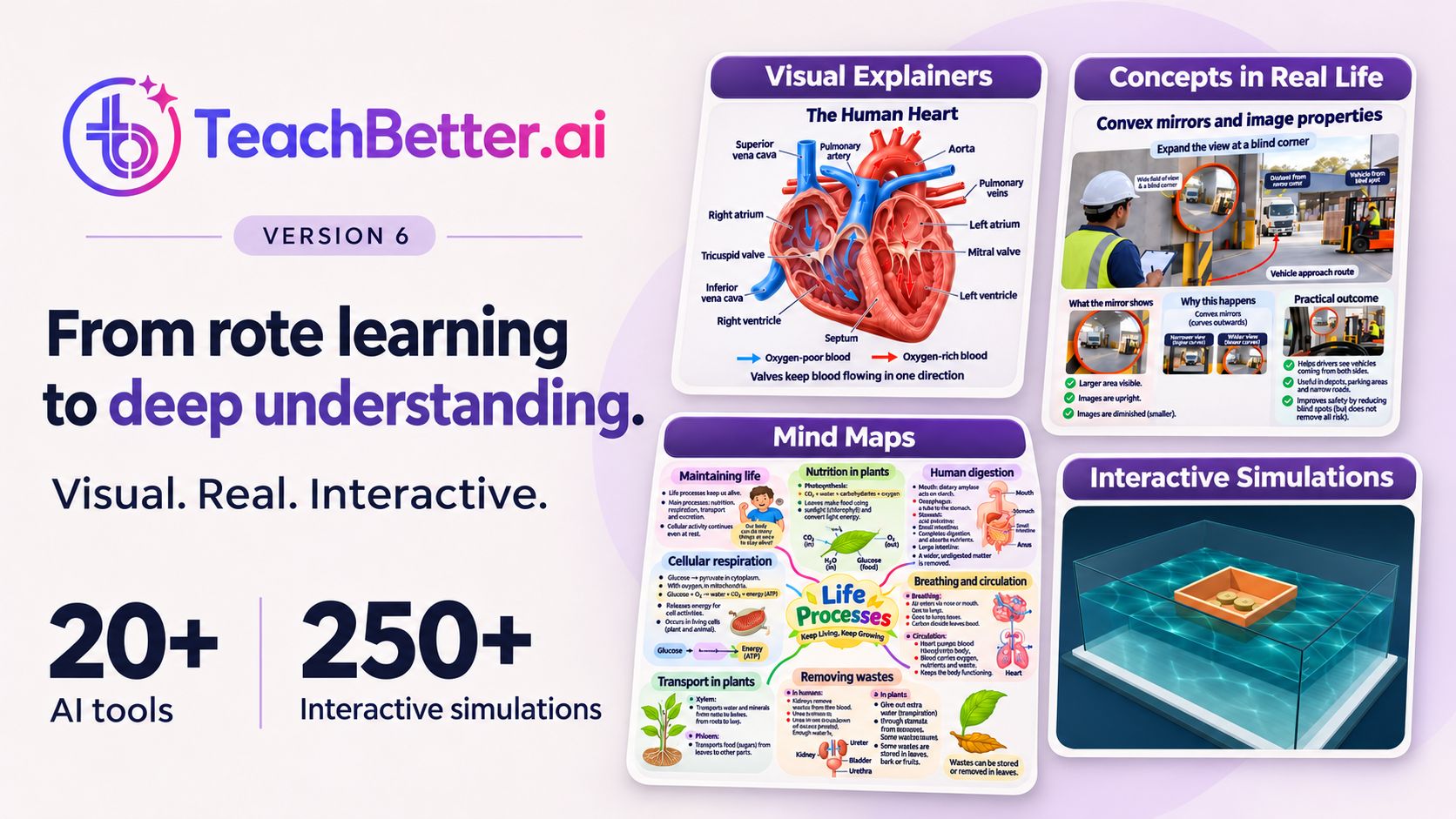
A teacher can begin with a Visual Concept Explainer to establish the core idea. A Concepts in Real Life resource can connect the concept with a familiar application. Students can then use an Interactive Simulation to change conditions and investigate how the relationship behaves.
After the investigation, a Mind Map can help students organise the ideas, variables and conclusions. The teacher can use PaperQR to assess understanding without student devices.
Together with more than 20 AI tools, TeachBetter.ai supports a connected teaching journey:
Explain it clearly.
Connect it to real life.
Explore it through interaction.
Organise the understanding.
Check what students have learned.
This is where the wider value of the platform becomes visible. Teachers are not simply accessing a collection of unrelated resources. They are gaining multiple ways to take a concept from first explanation to exploration, application and assessment.
What This Means for Teachers, Students and Schools
For teachers: TeachBetter.ai simulations provide ready-to-use environments for demonstrating relationships, challenging misconceptions and building inquiry into everyday lessons. Teachers can focus on framing the learning and guiding the discussion rather than creating an interactive model from the beginning.
For students: Students gain more agency in the learning process. They can make a decision, encounter its consequence and use evidence to improve their understanding. Concepts that once appeared fixed on a page become systems they can question and explore.
For schools: A broad simulation library can support inquiry-based, technology-enabled teaching across departments. It can help schools move beyond using digital tools only for presentation and towards using technology for reasoning, investigation and formative assessment.
Because the library spans multiple subjects, simulations can become part of a common pedagogical approach rather than an isolated resource used by only one department.
Frequently Asked Questions
What are interactive simulations in education?
Interactive simulations are digital learning experiences in which students can change conditions, make choices or manipulate variables and observe how a represented system responds. They are most effective when used for prediction, investigation, comparison and explanation.
How are simulations different from videos?
A video normally follows a fixed sequence. In a simulation, the learner or teacher can influence what happens by changing an input, condition or arrangement.
Are TeachBetter.ai simulations limited to science?
No. TeachBetter.ai includes simulations across K–12 subjects and topics, including science, mathematics, geography, economics, computer science and artificial intelligence.
Can simulations be used without individual student devices?
Yes. Teachers can display a simulation and conduct a whole-class investigation. Students can make predictions, suggest changes, record observations and discuss the evidence while the teacher operates it.
Do simulations replace experiments?
Not necessarily. Simulations and physical investigations develop different but complementary forms of understanding. Simulations are particularly useful for repeating trials, comparing conditions and representing processes that are difficult to observe.
How can teachers prevent students from clicking randomly?
Give students a question, prediction or challenge before they begin. Ask them to record what they changed, what they observed and how the evidence supports their explanation.
How can learning be assessed after a simulation?
Students can explain the relationship, analyse a new case, create an investigation record or complete a follow-up assessment. TeachBetter.ai’s PaperQR can support classroom assessment without student devices.
How many simulations are available on TeachBetter.ai?
TeachBetter.ai provides more than 250 curriculum-aligned interactive simulations across K–12 subjects and topics.
When Students Can Explore, Explanations Go Further
A clear explanation can introduce an idea. A visual can make it easier to understand. An interactive simulation can invite students to test how that idea works.
That shift matters.
Students move from watching to investigating. From accepting an outcome to looking for evidence. From remembering a relationship to testing whether it holds under different conditions.
With more than 250 curriculum-aligned interactive simulations, TeachBetter.ai helps teachers turn difficult, invisible and abstract concepts into experiences students can explore. Combined with visual learning resources, more than 20 AI tools and PaperQR assessments without student devices, it brings explanation, investigation and assessment together within one platform.
Do not just tell students what happens. Give them the opportunity to find out why.
Turn explanation into exploration with TeachBetter.ai.

Binit Agarwalla, Founder, TeachBetter.ai
With over 15 years of seasoned expertise, Binit is a results-driven marketing leader specializing in B2B SaaS and B2C growth strategy - now channeling that experience into transforming education through TeachBetter.ai, an all-in-one AI platform built exclusively for teachers, students, and schools.
As the Founder of TeachBetter.ai, his mission is to simplify teaching and amplify learning by empowering educators with AI-driven tools that save time, enhance creativity, and make classrooms more engaging. TeachBetter.ai's vision is to make AI adoption in education simple, accessible, and affordable - helping every teacher leverage the power of AI without complexity or high cost.
Read other articles authored by Binit Agarwalla here.